Workday extraction with historical accuracy
The Databasin connector reads Workday HCM and Financials through their business objects and lands them in a lakehouse with full effective-dated history. Historical headcount and compensation reports then show the manager, salary and cost center that applied at the time, not today's values. Our team builds financial, workforce and cross-module views on that history, with the calculations available for inspection.





Effective dates and business relationships
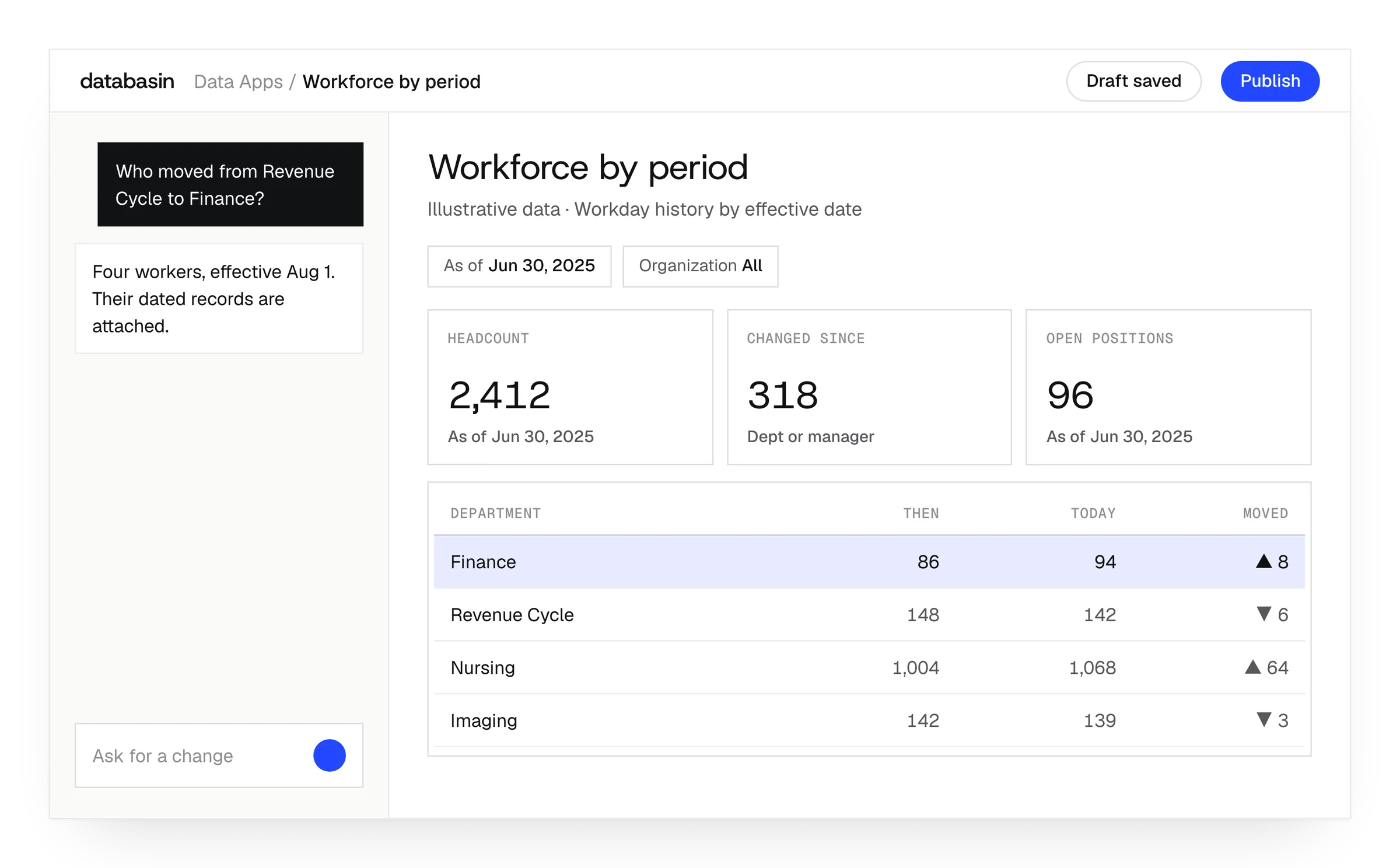
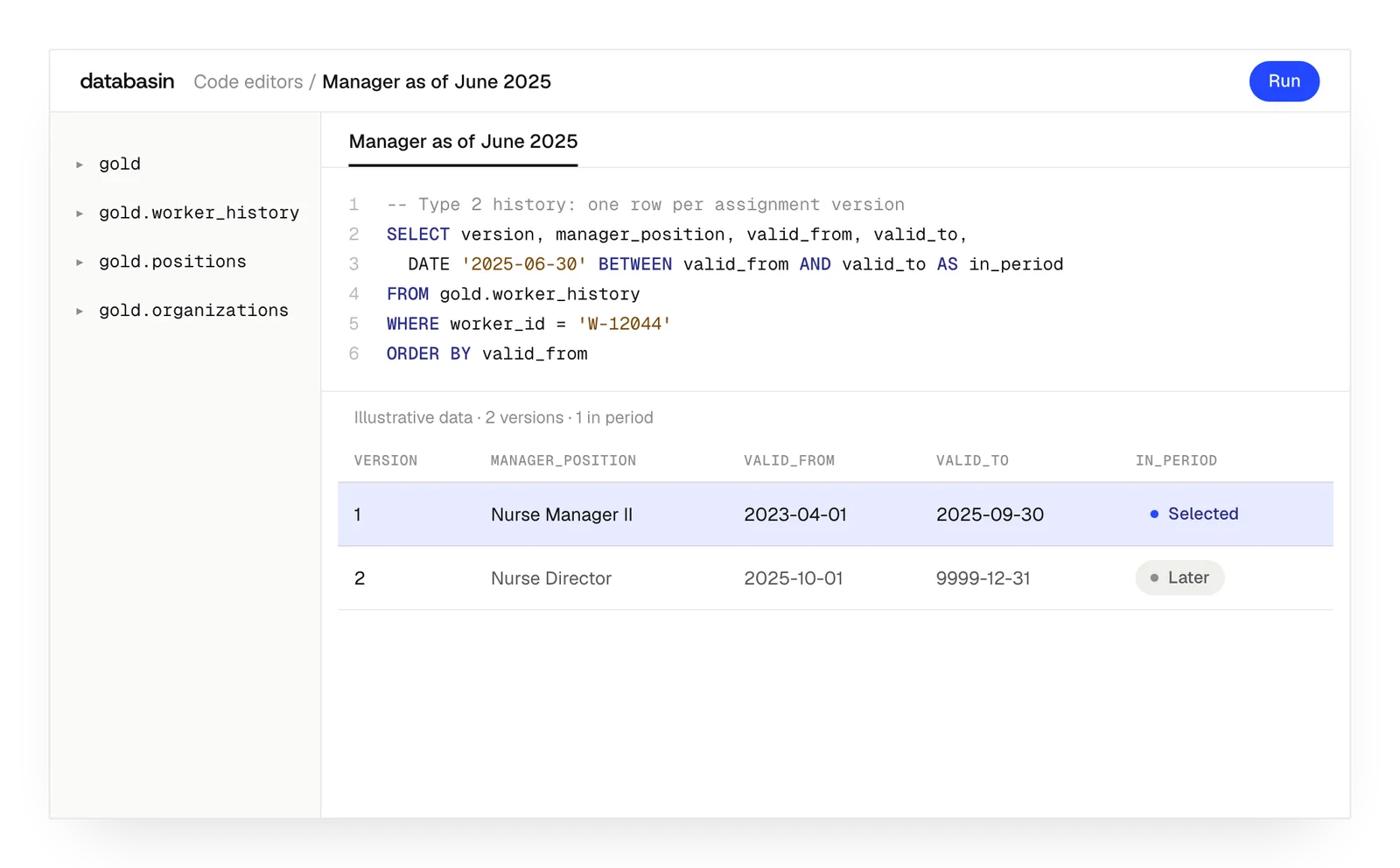
Salary, grade, manager and cost center are effective-dated in Workday. The effective date says when a change applies; the entry date says when someone recorded it. A change entered today can apply to an earlier reporting period, so a historical query needs the assignment effective during that period, including any correction to it. A generic connector that pulls current values joins today's manager and salary into every historical row, and the headcount chart is confidently wrong.
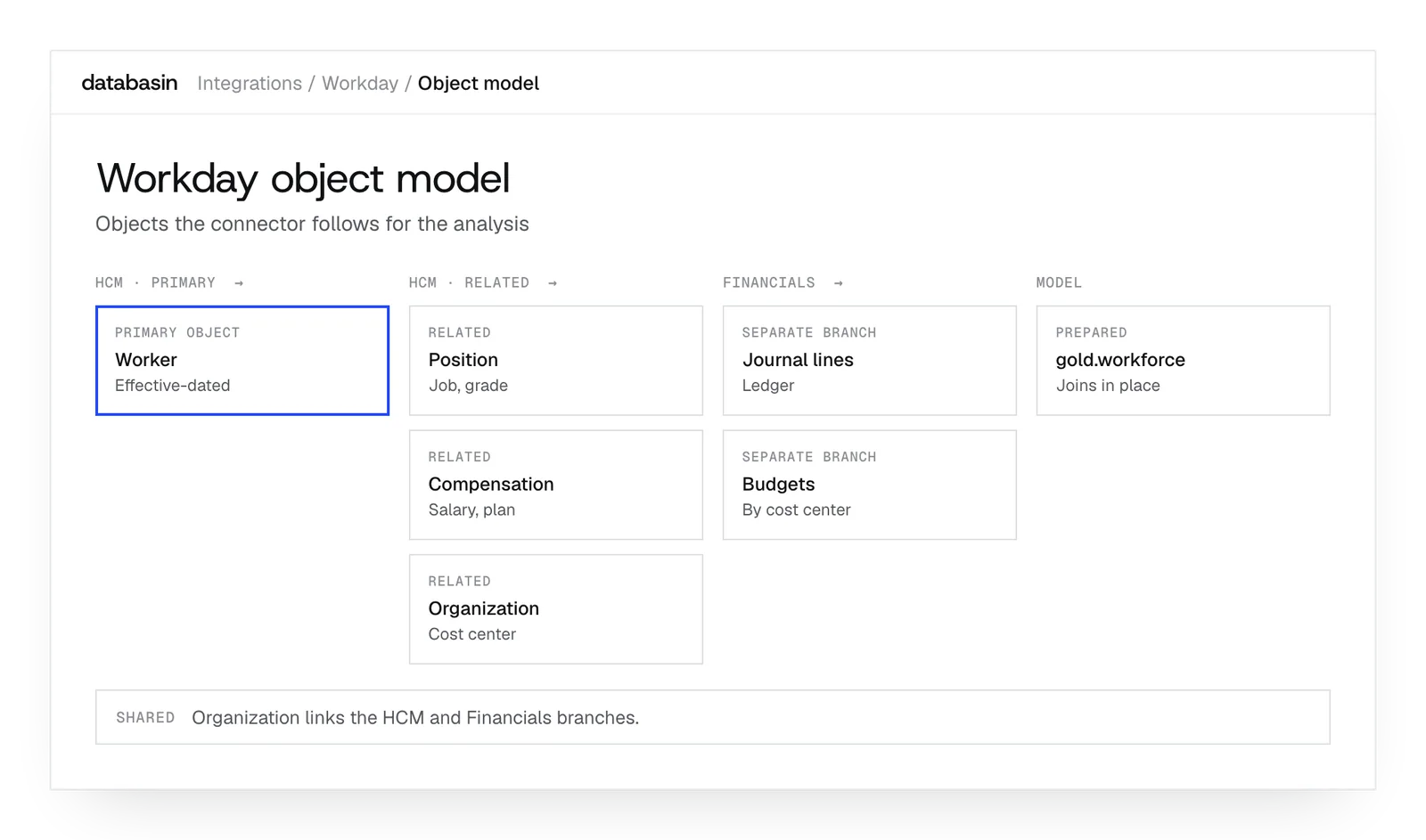
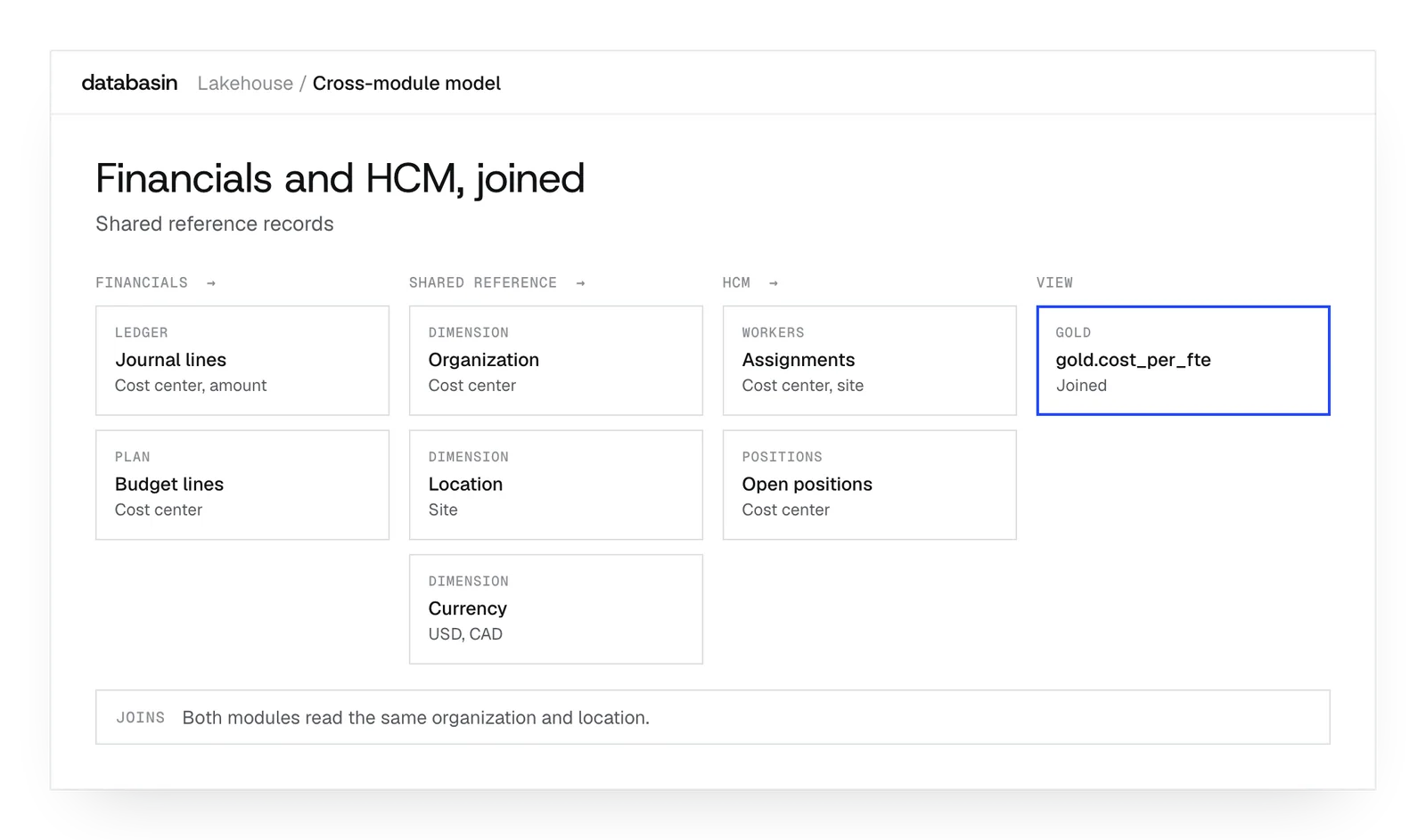
Workday organizes Financials and HCM as separate business object hierarchies. Worker is the primary business object for HCM, and Position, Compensation and Organization are related business objects that have to be traversed explicitly. Financial records follow the ledger account, cost center and spend category hierarchy. We prepare these connections and the shared reference objects for analysis across the two modules.
The preparation behind Workday analysis
Records for finance and workforce analysis
Workers
Use the worker object to read the related workforce records and assignments.
Positions
Connect positions to the workers and organizations relevant to the analytical view.
Compensation
Keep dated compensation assignments available for questions about historical reporting periods.
Journal lines
Prepare journal records with the financial accounts and organizations they reference.
Budget lines
Join budget records to the reference dimensions used in financial review.
Shared organizations
Reuse organizational records in both workforce preparation and financial data views.
Examples of historical Workday analysis
Workforce change
An analyst examines quarterly headcount with the manager and cost center relevant to each period and inspects its records.
Financial review
Finance explores ledger and budget information in an application using the organizational relationships established for the reporting measure.
Cross-module measures
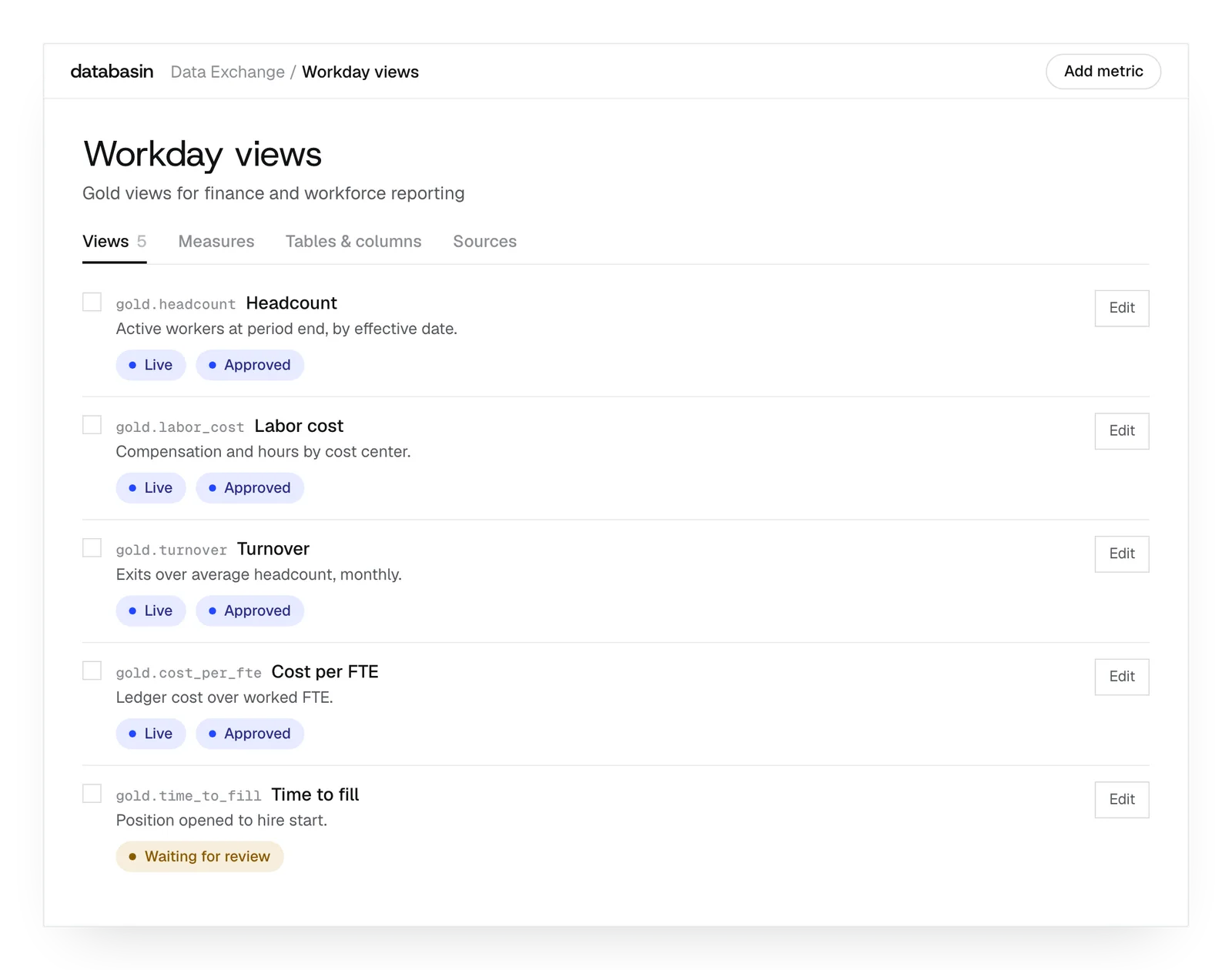
HR and finance investigate workforce cost using the historical assignments and common organizations that connect their records.
Where Workday Prism Analytics fits
Prism Analytics stages Workday data for reporting inside Workday and keeps Workday's security model, which suits teams whose questions stay inside Workday. It is priced by published rows, its native refresh runs daily, many calculated field types are unavailable on Prism data sources, and each Prism dataset is bound to a single security domain.
Teams that need to join Workday with Epic, an ERP or a CRM usually add a warehouse alongside Prism and pay for both. Databasin extracts the same business objects into a lakehouse you own, next to your other systems. Existing Prism datasets can keep serving the reports they already answer.
Implementation around your Workday configuration
We examine the Workday configuration before implementing the application's extraction. The connector covers 39 Workday feeds across HCM, Financial Management (funds, grants, gifts, cost centers and programs), Resource Management (projects) and Higher Education, and Workday RaaS reports bring in the custom reports your team already maintains. Our team works through source access and calculated fields, then builds the required financial and workforce joins. People familiar with the records review the resulting measures with us.
With the required source access in place, a working Workday pipeline can be established on day one. The next work prepares the measures and views for the business decision. We deliver the application with rollout and training so people can use that preparation in their work.
Security for business data
Databasin gives your team controls for who can use business data and records of how they use it.
Access
Your organization manages the identities people use to sign in. Data permissions apply to their work, and investigation agents have read-only access to production sources.
Regulated data
For work involving PHI or HR data, our team helps your security reviewers examine the requirements. Databasin is HIPAA-ready, with a BAA available.
Where data sits
You can use our hosted service, run Databasin in your own Azure tenant or use it alongside Databricks, Snowflake or Microsoft Fabric.
Audit
An answer comes with its SQL for review. Your team can also examine query logs and lineage to understand the data behind it.
What happens next
We would like to hear where your team wants to make progress with data and AI. We can discuss a project you have in mind or explore where Databasin could help with the work.
What happens next
Book a demo
Book a conversation about your organization and the work you want to improve. Questions about where to start are welcome.
Explore the opportunity
We show a working example that answers your business questions, then discuss what it would take to deliver it for your team.
Get the first result
After agreeing the first use case, we implement it with your team. We train the people using it and measure how it performs.
FAQ
Can a related object's change require a record to be extracted again?
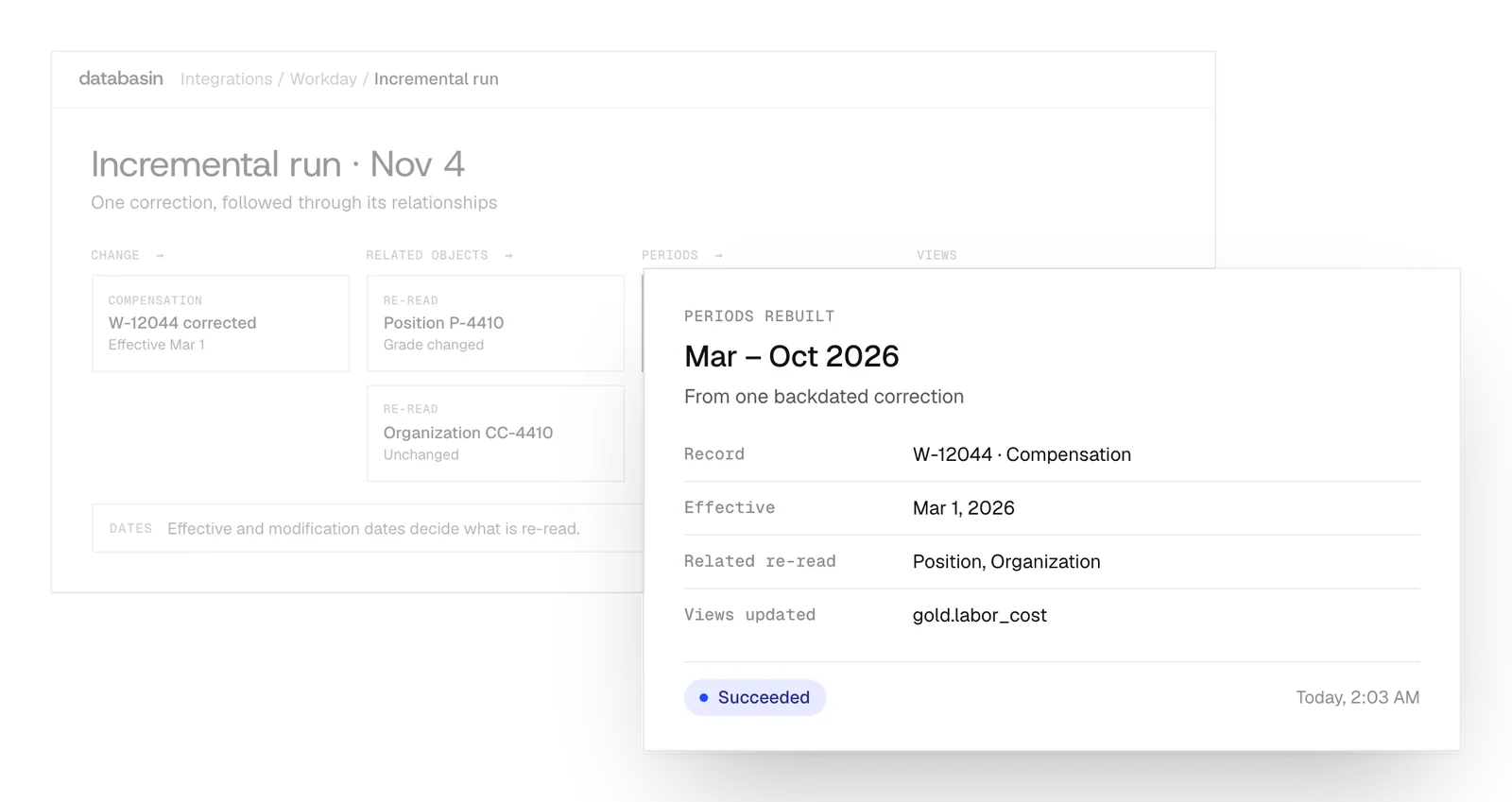
Yes. The record may be unchanged while information in a related object has changed. Incremental extraction considers that relationship and the effective dates when determining which records need to be read again.
Is the historical value selected during extraction or during a query?
Extraction preserves the successive assignments and their dates. The query resolves which assignment applies to its reporting date. Different analyses can therefore use the same retained history to examine different periods.
Does the connector expand the permissions granted by Workday?
No. The approved Workday access determines which records it can read. We establish the required objects with the administrator and configure extraction within those permissions, then prepare views for the intended application.
How far back can the historical analysis reach?
The connector supports history back to Workday go-live, subject to access to those historical records. We establish the available history and the periods the application must cover during design.
How do you validate a calculation that cannot be extracted directly?
We implement its required logic in the prepared data and compare the result with source records. People who know the Workday definition review the calculation before it is used as an application measure.
Can notebooks query the same historical dimensions as BI tools?
Yes. A notebook, SQL query or supported BI tool can use the prepared tables through its configured access. The historical dimensions allow each query to resolve the assignment for the date it is examining.
Can extraction and downstream transformations run as one workflow?
Yes. We place extraction before the transformations that use its output. An automation can schedule that sequence, and engineers can inspect the task status and logs when reviewing the run.
Does a working pipeline mean the entire application is finished?
No. The application also needs measures, views and validation, followed by rollout and training. We establish that work during design and deliver it around the business decision the application is intended to support.
Discuss your Workday architecture
We can discuss the historical questions and cross-module analysis your team needs to support. A demo can explore the object relationships, effective dates and implementation work that would make those views useful in your environment.