Data and AI for small businesses
Databasin helps small businesses understand sales, finance and operations through connected data and plain-language questions. We set up the platform and the applications around your work, and can run them for you. Owners and small teams can explore the numbers together without building their own data operation.





Help with the whole data setup
We build and can operate the data setup for your business. Connections to tools such as Shopify, QuickBooks, HubSpot and Salesforce bring the records together. We prepare the measures and views around the questions you need to answer, then show people how to use them. Your team explores the information and makes the business decisions.
Everyday questions and recurring reviews
See what happens between a record in a business tool and the question your team asks about it.
Connect business tools
We set up the reading routes for the business records. Source owners approve access, and pipelines collect the information for recurring preparation.
Organize the measures
We build views around customers, orders and invoices and define their measures. These give the application a clear basis for answering business questions.
Ask a question
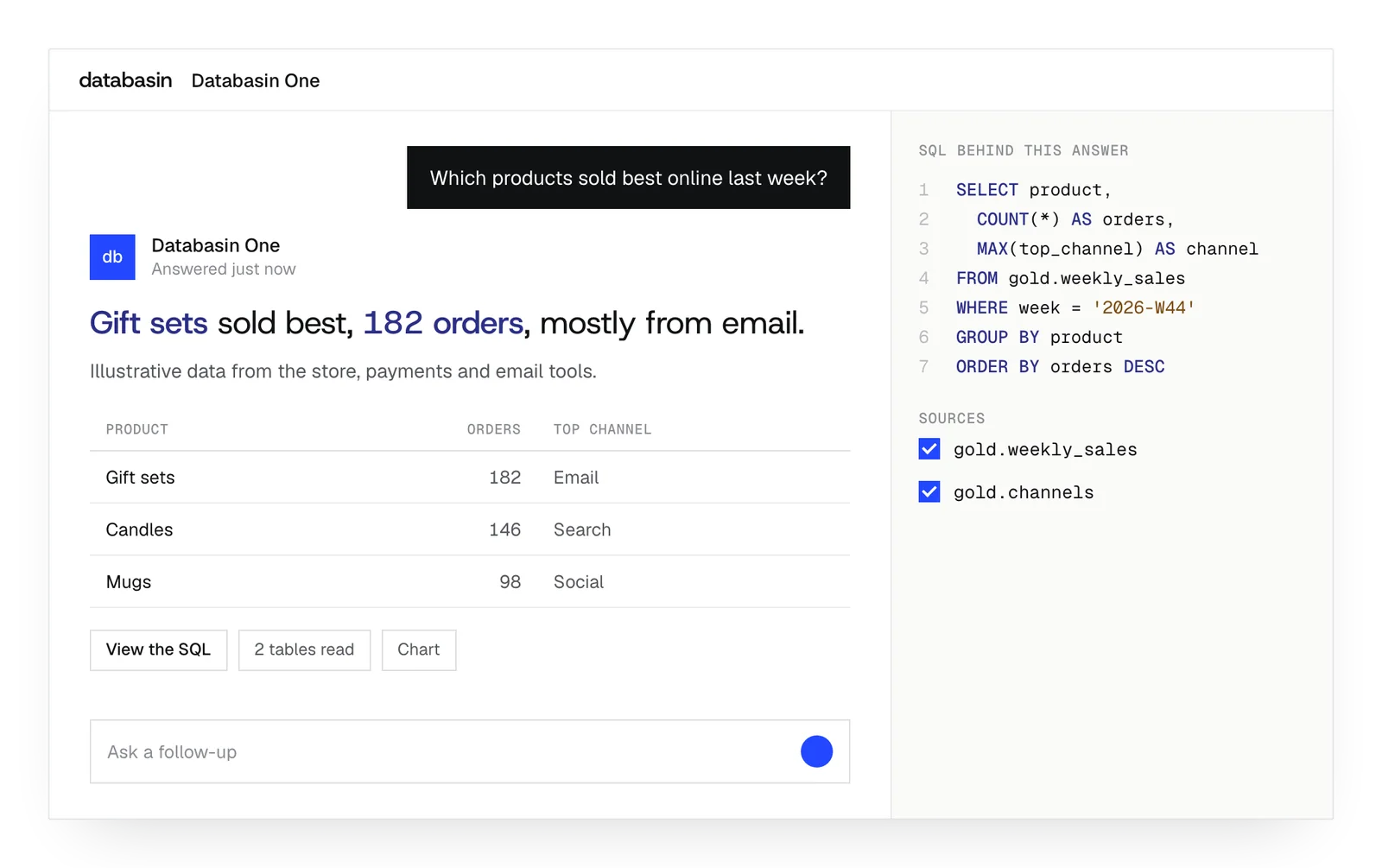
Databasin One uses the prepared views to answer your question. You can inspect its query and explore the change that drew your attention.
Repeat the review
An application keeps the useful view available, and automations deliver recurring summaries. Your people review what changed and decide whether to act.
The platform behind the work
People can ask questions, build Data Apps and automate recurring work using the data connected through Databasin.
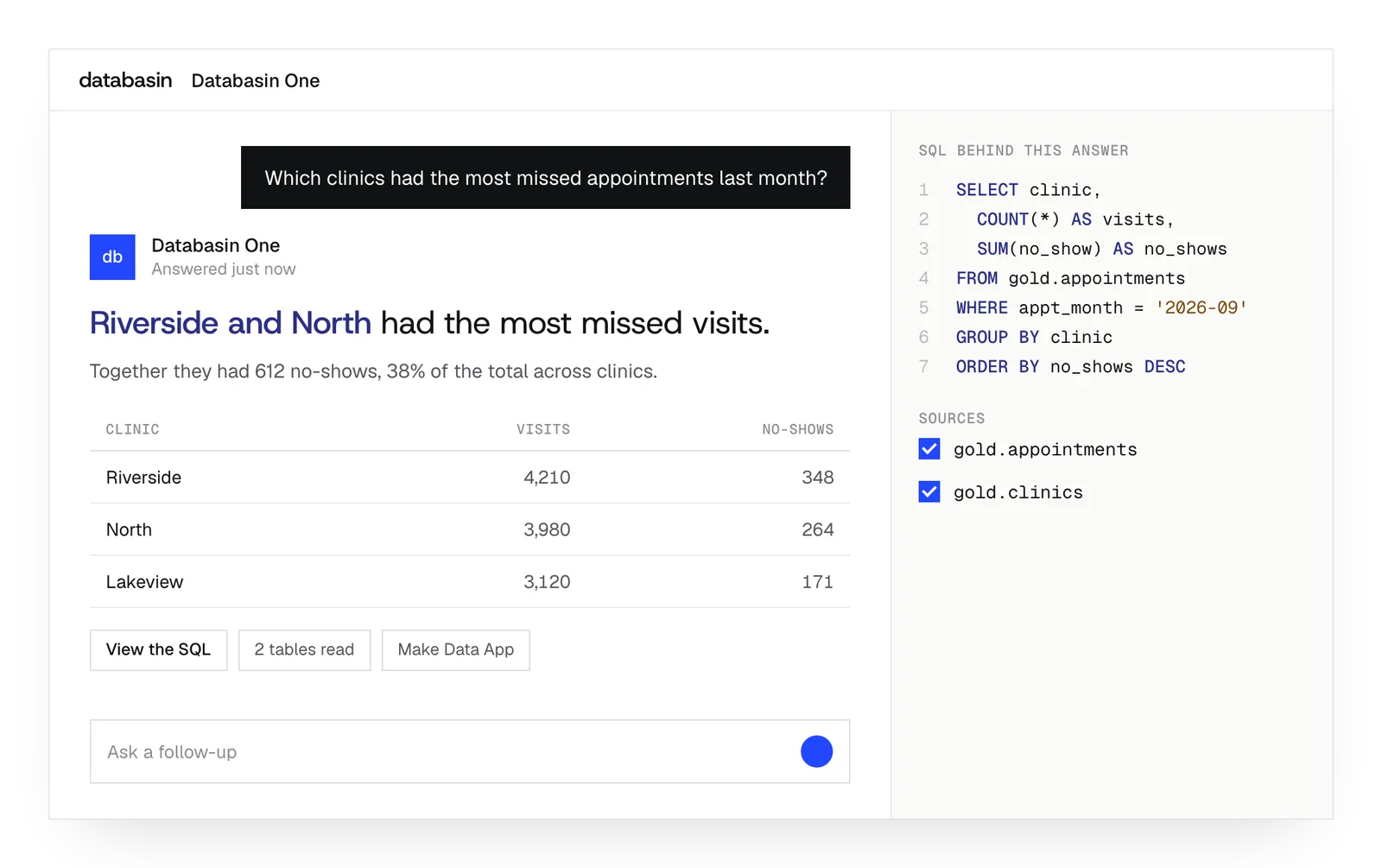
Ask a question in plain language and examine the answer. Its source and SQL show how Databasin calculated the result.
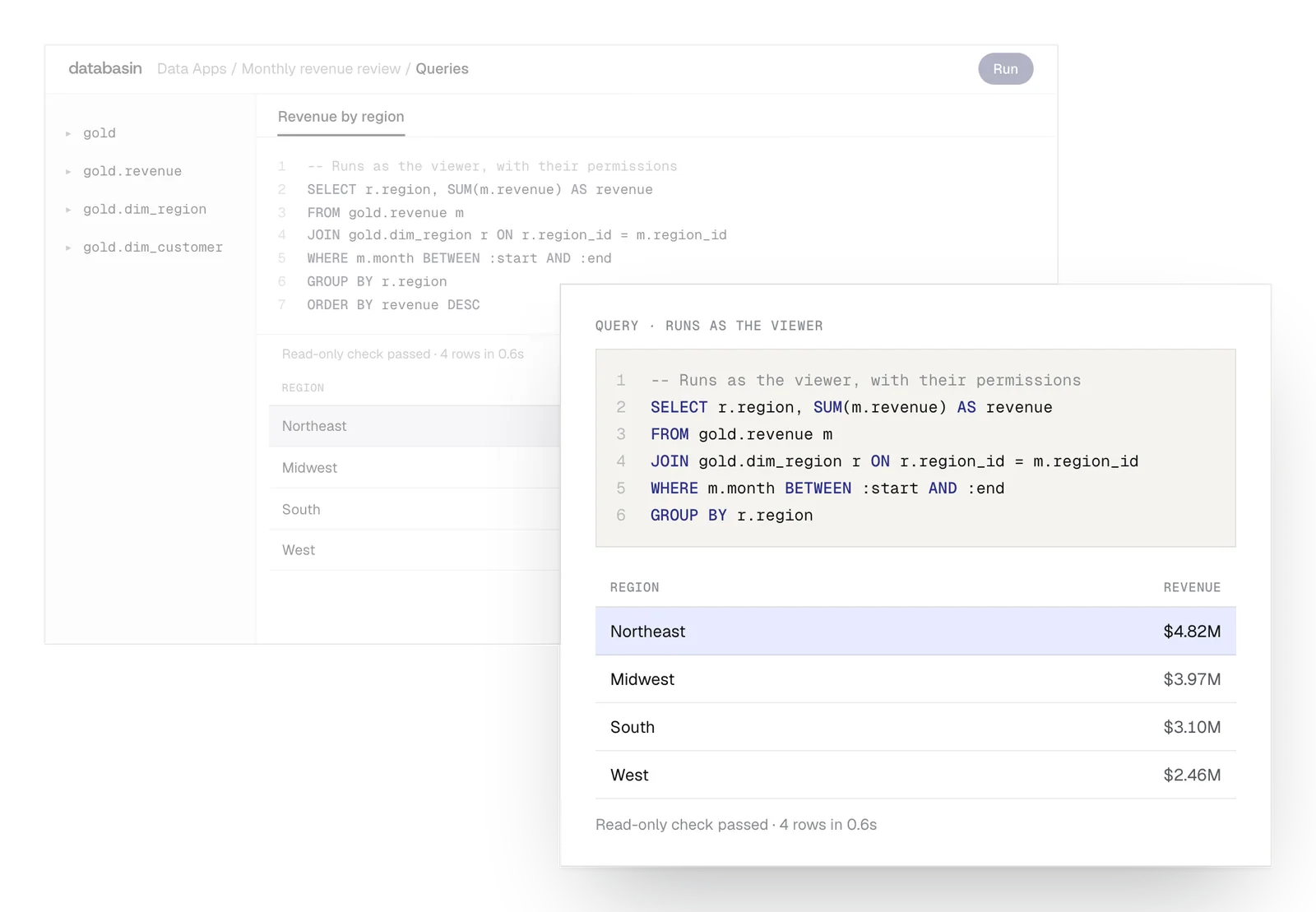
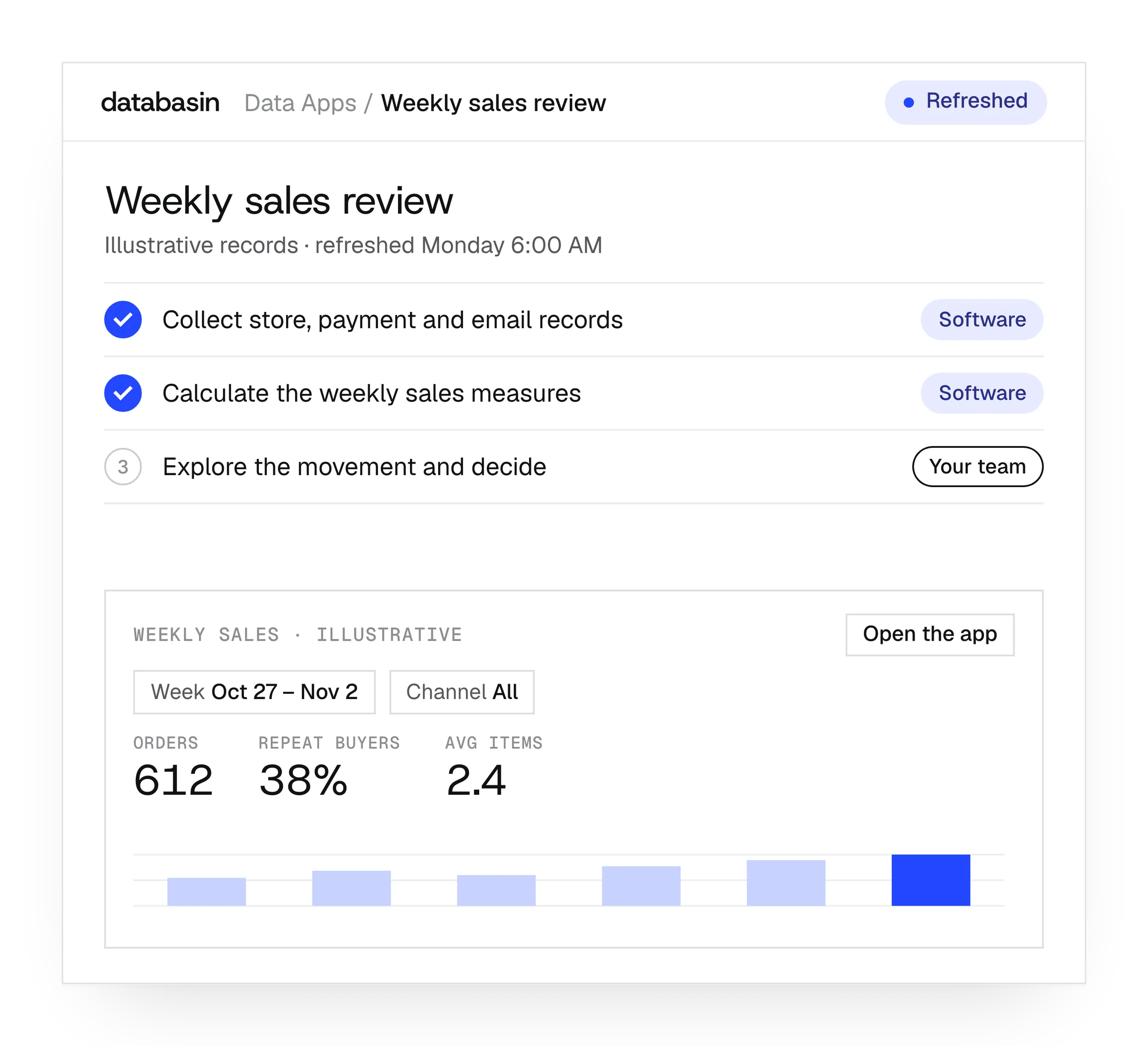
Describe the view you need, then share it with colleagues. They can explore its measures while you use plain language to change the app.
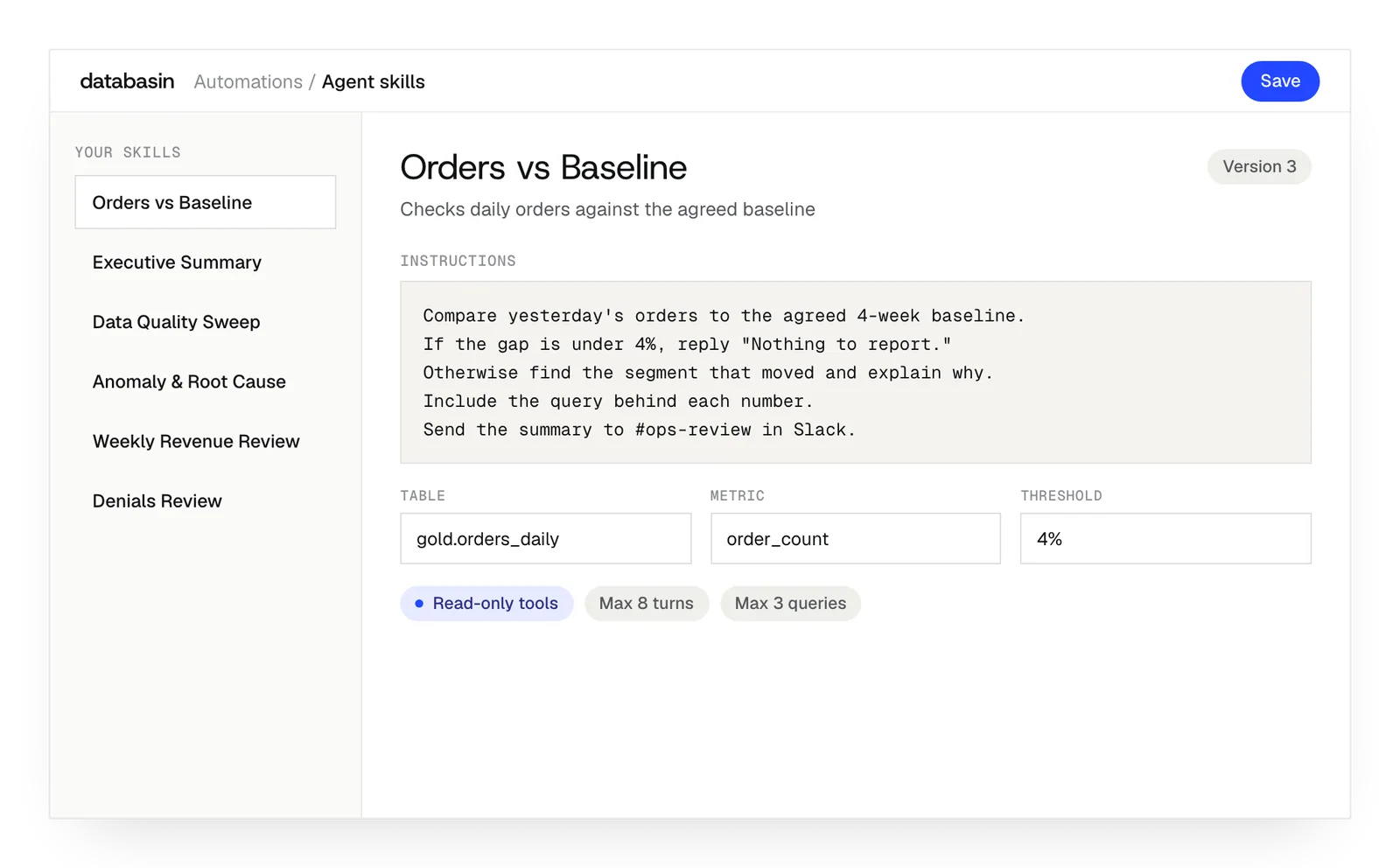
Write instructions for a recurring investigation. The agent reads the permitted data and explains its findings, with evidence your team can examine.
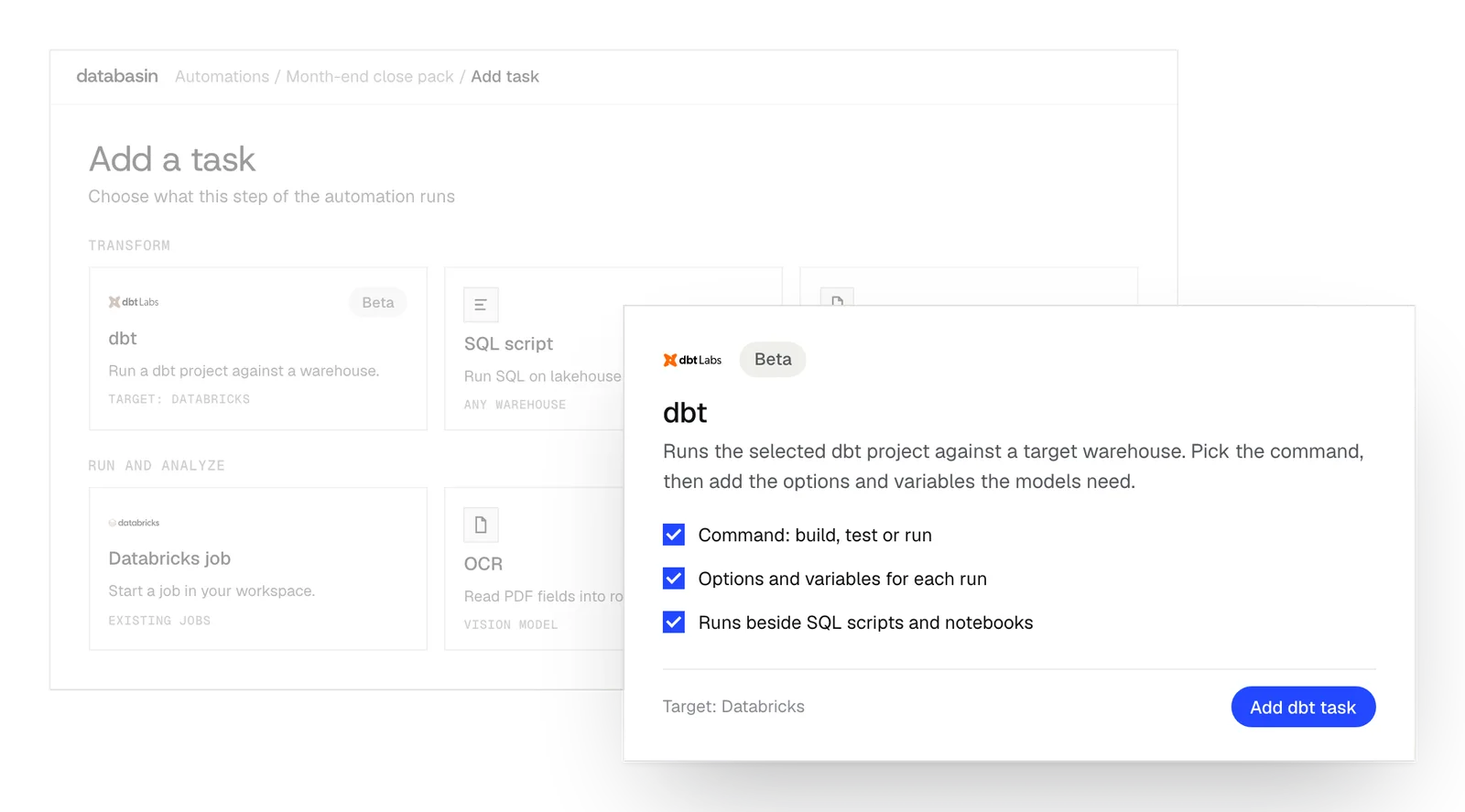
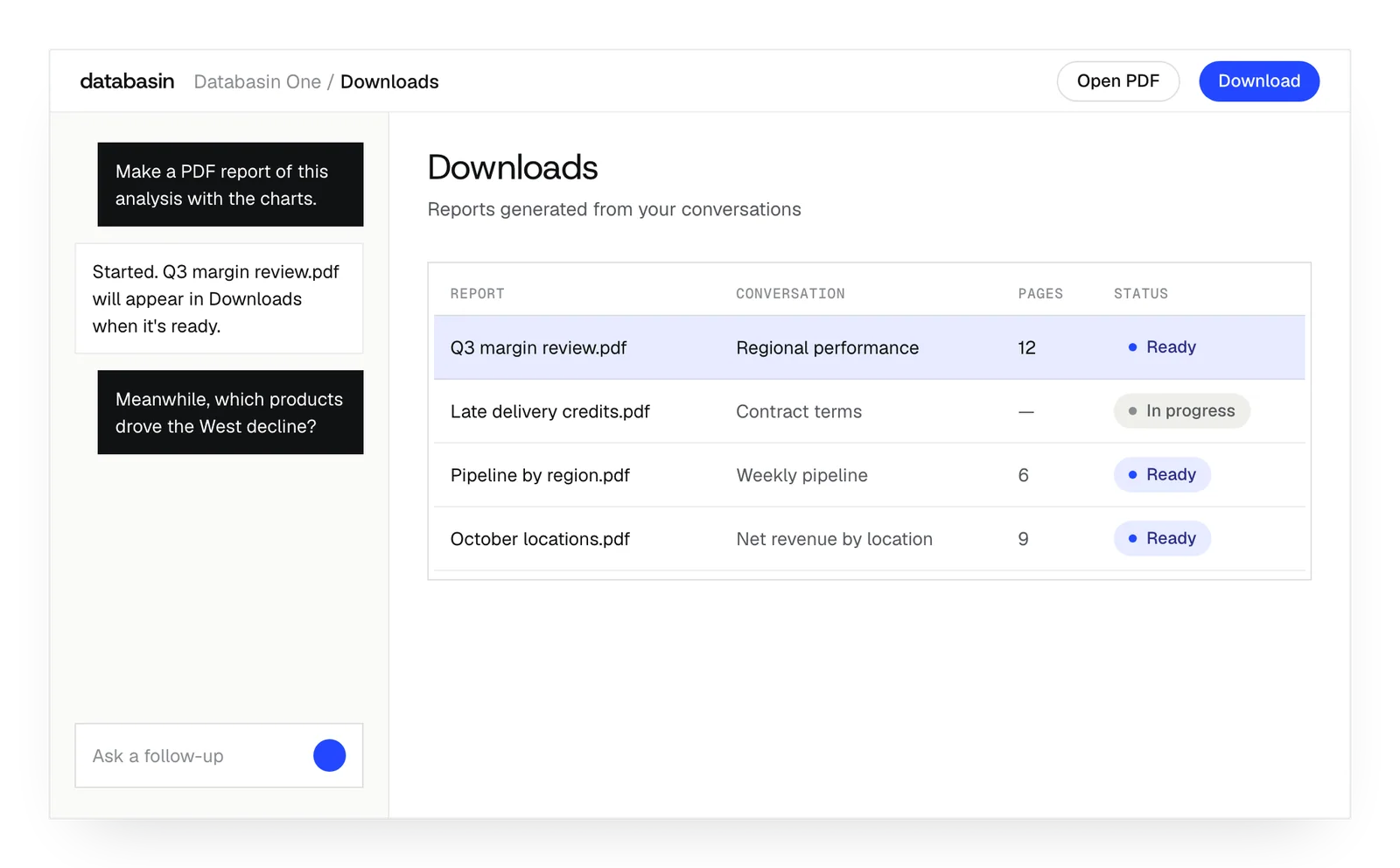
Run preparation and investigation tasks in sequence, then send the findings through email, Slack or Teams. Your team can inspect the record of each run.
Prepare data from connected systems and control who can use it. Business questions, Data Apps and workflows use the measures prepared here.
Support as the business grows
Business owners
An owner may check several tools and still have questions about the week. We combine sales, finance and order information in a view they can explore and use for follow-up questions.
Founders
When recurring-revenue figures differ between tools, we establish the measure and its source records. The team gets an application where they can inspect the calculation used to discuss business performance.
First analysts
An analyst joining the business can query the existing tables and inspect their definitions. SQL and notebooks let them develop more detailed analysis using the connections and preparation already in place.
Example: reviewing weekly sales
Reviewing sales across the business each week
Today
- A
- n
- o
- t
- h
- e
- r
- q
- 10u
- 11e
- 12s
- 13t
- 14i
- 15o
- 16n
- 17
- 18r
- 19e
- 20q
- 21u
- 22i
- 23r
- 24e
- 25s
- 26
- 27t
- 28h
- 29e
- 30
- 31o
- 32w
- 33n
- 34e
- 35r
- 36
- 37t
- 38o
- 39
- 40r
- 41e
- 42v
- 43i
- 44s
- 45i
- 46t
- 47
- 48t
- 49h
- 50e
- 51
- 52r
- 53e
- 54c
- 55o
- 56r
- 57d
- 58s
- 59
- 60a
- 61n
- 62d
- 63
- 64c
- 65a
- 66l
- 67c
- 68u
- 69l
- 70a
- 71t
- 72i
- 73o
- 74n
- 75.
Redesigned
- Y
- o
- u
- r
- t
- e
- a
- m
- 10:
- 11
- 12T
- 13h
- 14e
- 15
- 16o
- 17w
- 18n
- 19e
- 20r
- 21
- 22e
- 23x
- 24p
- 25l
- 26o
- 27r
- 28e
- 29s
- 30
- 31t
- 32h
- 33e
- 34
- 35m
- 36o
- 37v
- 38e
- 39m
- 40e
- 41n
- 42t
- 43
- 44a
- 45n
- 46d
- 47
- 48d
- 49e
- 50c
- 51i
- 52d
- 53e
- 54s
- 55
- 56h
- 57o
- 58w
- 59
- 60t
- 61o
- 62
- 63r
- 64e
- 65s
- 66p
- 67o
- 68n
- 69d
- 70.
Business tools already in use
Shopify and sales
We prepare order and sales records for analysis alongside the other information the business needs to understand its trading activity.
QuickBooks and Stripe
We connect financial and payment records and establish which transactions the business measures include before the application uses them.
HubSpot and Salesforce
We add customer and sales activity to the shared views so people can investigate the work behind a business result.
Databases and files
We read database and file records where the question needs information held outside the connected business applications.
Design, Build, Run
We take responsibility for the work from defining the outcome through implementation and ongoing support.
Design
We define the outcome, current processes and expected return with your stakeholders. A working example shows how Databasin would answer your business questions.
Build
We get your first use case live in 90 days. Communication, rollout, training and success measurement are included in the work.
Run
Choose the help you need after launch. We can run the solution for you, provide monthly support hours or stay on call.
Security for business data
Databasin gives your team controls for who can use business data and records of how they use it.
Access
Your organization manages the identities people use to sign in. Data permissions apply to their work, and investigation agents have read-only access to production sources.
Regulated data
For work involving PHI or HR data, our team helps your security reviewers examine the requirements. Databasin is HIPAA-ready, with a BAA available.
Where data sits
You can use our hosted service, run Databasin in your Azure environment or use it alongside Databricks, Snowflake or Microsoft Fabric.
Audit
An answer comes with its SQL for review. Your team can also examine query logs and lineage to understand the data behind it.
What happens next
We would like to hear where your team wants to make progress with data and AI. We can discuss a project you have in mind or explore where Databasin could help with the work.
What happens next
Book a demo
Book a conversation about your organization and the work you want to improve. Questions about where to start are welcome.
Explore the opportunity
We show a working example that answers your business questions, then discuss what it would take to deliver it for your team.
Get the first result
After agreeing the first use case, we implement it with your team. We train the people using it and measure how it performs.
FAQ
Will someone need to install and patch the platform here?
We can host and operate the platform for you. That covers its setup and ongoing operation. We can discuss which applications the business needs and the support that would help the team use them.
Do owners need to write SQL to ask questions?
No. Databasin One takes the question in plain language and runs a query on the prepared data. The answer includes that SQL for inspection. You do not need to write the query to ask the question.
What if one of our tools has no ready-made connector?
We examine its available API, file and database routes. Those determine how Databasin could read the required records. The platform supports generic connections as well as native connectors, and we can explain the implementation needed.
Will our first analyst be able to build on the setup?
Yes. They can use SQL and notebooks on the tables already prepared and inspect the definitions behind the measures. That supports deeper analysis while the rest of the business continues to use its applications.
Can we share a file as well as a live application?
Yes. Generated documents and spreadsheet exports can capture the selected information for sharing. The live Data App remains available to authorized colleagues who want to inspect another period or filter the records differently.
Can our data be used outside Databasin later?
Yes. The data uses open table formats. A compatible engine or application can read those records with the necessary access. That gives a later analyst options for extending the work beyond the existing applications.
Discuss the questions behind your business
We would like to hear what you want to understand about your business. We can explore how connected data and shared applications could help, including the setup and ongoing work our team could handle for you.