More answers from your Power BI models
Microsoft Power BI measures can help your team investigate a reported change through a conversation with Databasin One. We connect the source data and map the model so people can ask follow-up questions using its definitions. Answers include SQL and measure citations for the team to examine.
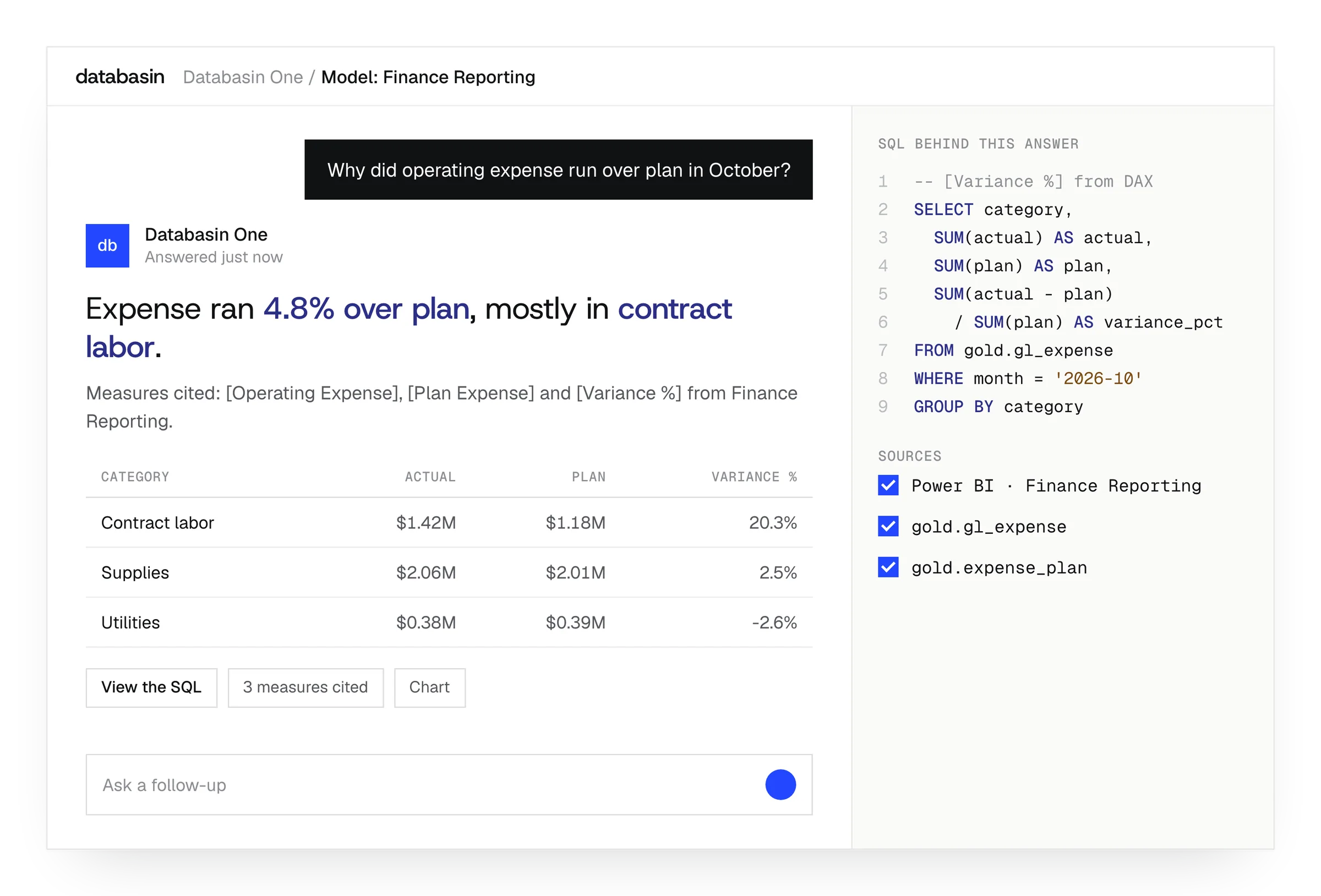




Reuse the definitions behind the report
A Power BI semantic model records how the report's tables relate and how its measures are calculated. Those definitions represent work the team has already done. When a new question arises, Databasin One can use that model to interpret the question in terms familiar from the report.
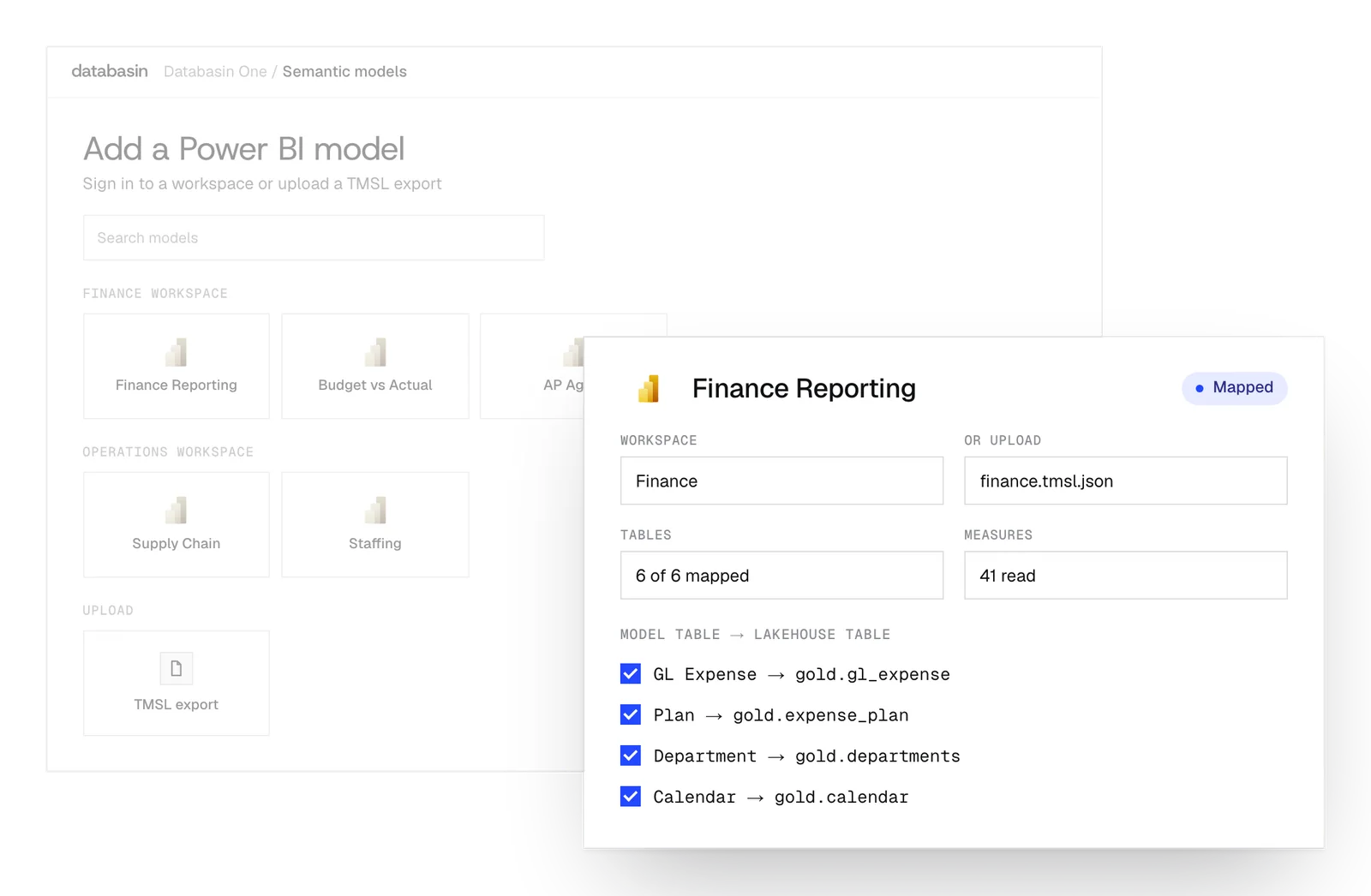
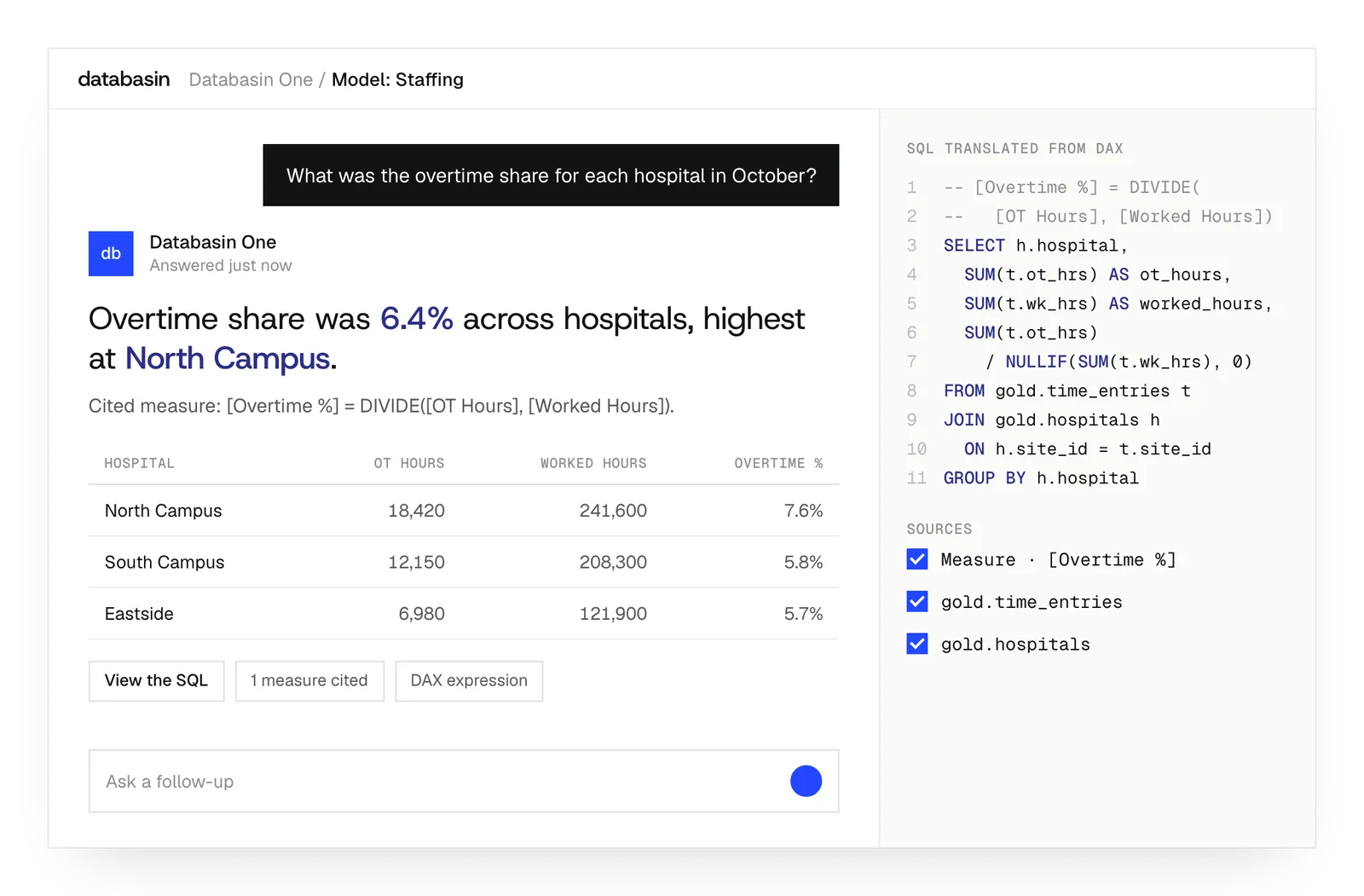
We map the model to lakehouse tables and prepare the source records it needs. Databasin One then translates the relevant calculations into SQL against those tables. The resulting answer includes the query and measure citations, so people can examine how it used the existing business intelligence definitions.
Keep the model useful across questions
Design, Build, Run
We take responsibility for the work from defining the outcome through implementation and ongoing support.
Design
We define the outcome, current processes and expected return with your stakeholders. A working example shows how Databasin would answer your business questions.
Build
We get your first use case live in 90 days. Communication, rollout, training and success measurement are included in the work.
Run
Choose the help you need after launch. We can run the solution for you, provide monthly support hours or stay on call.
Results from customer work

- 20+ systems unifiedDatabasin brought WashU Medicine's financial data together.
- Infrastructure costs at 1/3 of the traditional approachWashU Medicine's result from changing its data infrastructure.
18%
Higher grant proposal success
Measured at a research institution working with Databasin.
“What used to take weeks or sometimes even months now happens in minutes.”
Details that support model reuse
TMSL files
Use a TMSL export from Power BI, Tabular Editor or SSMS.
Model relationships
Carry the model's table relationships into the calculation of a translated measure.
Measure citations
Find the measures used in the answer before checking them against reporting.
SQL evidence
Open the SQL to examine the source records and calculation behind the answer.
Shared definitions
Build the joins and filters into the views used by the review.
Viewer permissions
Run a Data App's warehouse queries with the access of its viewer.
Example: Work around a familiar report
Month-end close
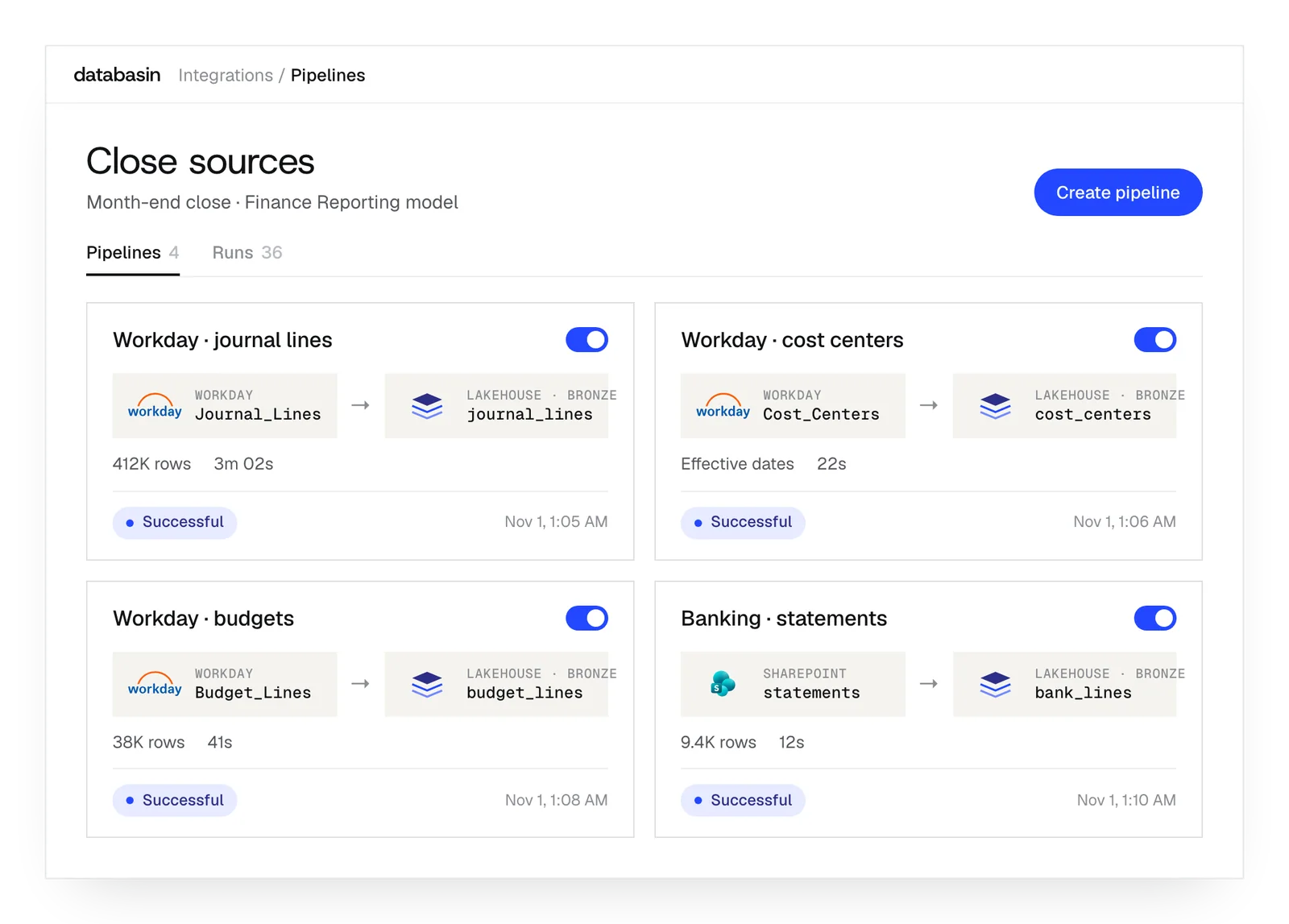
Use scheduled Workday preparation for the month-end review, with financial measures available for the follow-up questions finance needs to answer.
Variance investigation
Ask why a report's measure changed, then inspect the SQL and citations that show how Databasin calculated its answer.
Shared departmental reviews
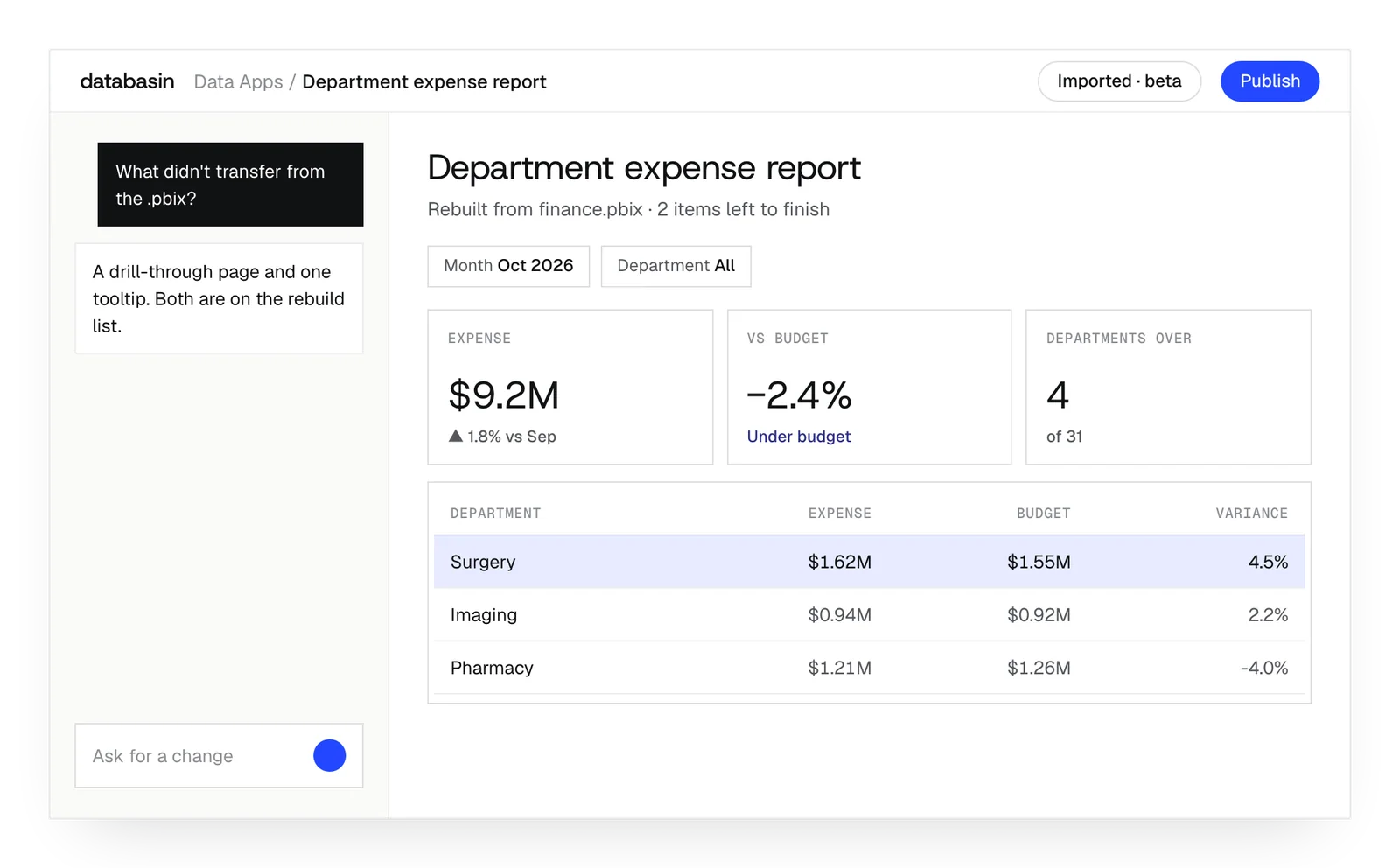
Rebuild a suitable report in Data Apps and let colleagues explore its measures with filters, then request changes through conversation.
What happens next
We would like to hear where your team wants to make progress with data and AI. We can discuss a project you have in mind or explore where Databasin could help with the work.
What happens next
Book a demo
Book a conversation about your organization and the work you want to improve. Questions about where to start are welcome.
Explore the opportunity
We show a working example that answers your business questions, then discuss what it would take to deliver it for your team.
Get the first result
After agreeing the first use case, we implement it with your team. We train the people using it and measure how it performs.
FAQ
Do we need another data platform behind Power BI?
That depends on the work behind the reports. If preparation, definitions and refresh already serve the team, those parts can stay. Databasin helps where close still depends on repeated exports or cross-system reconciliation, and where people need further questions answered using the definitions already maintained for reporting.
Can Power BI remain our reporting interface?
Yes. Databasin can prepare source records and support questions using the existing model while Power BI reports remain in use. Rebuilding a report as a Data App is a separate choice. We define the work around the people using the report and the questions they need answered.
Is a semantic-model import the same as importing a PBIX report?
No. TMSL import supplies model definitions to Databasin One for answering questions. The Data Apps beta importer uses .pbix or .pbit layouts and calculations to build an application. We select the route around the work, keeping model reuse and report conversion distinct.
How do we check an answer against the Power BI report?
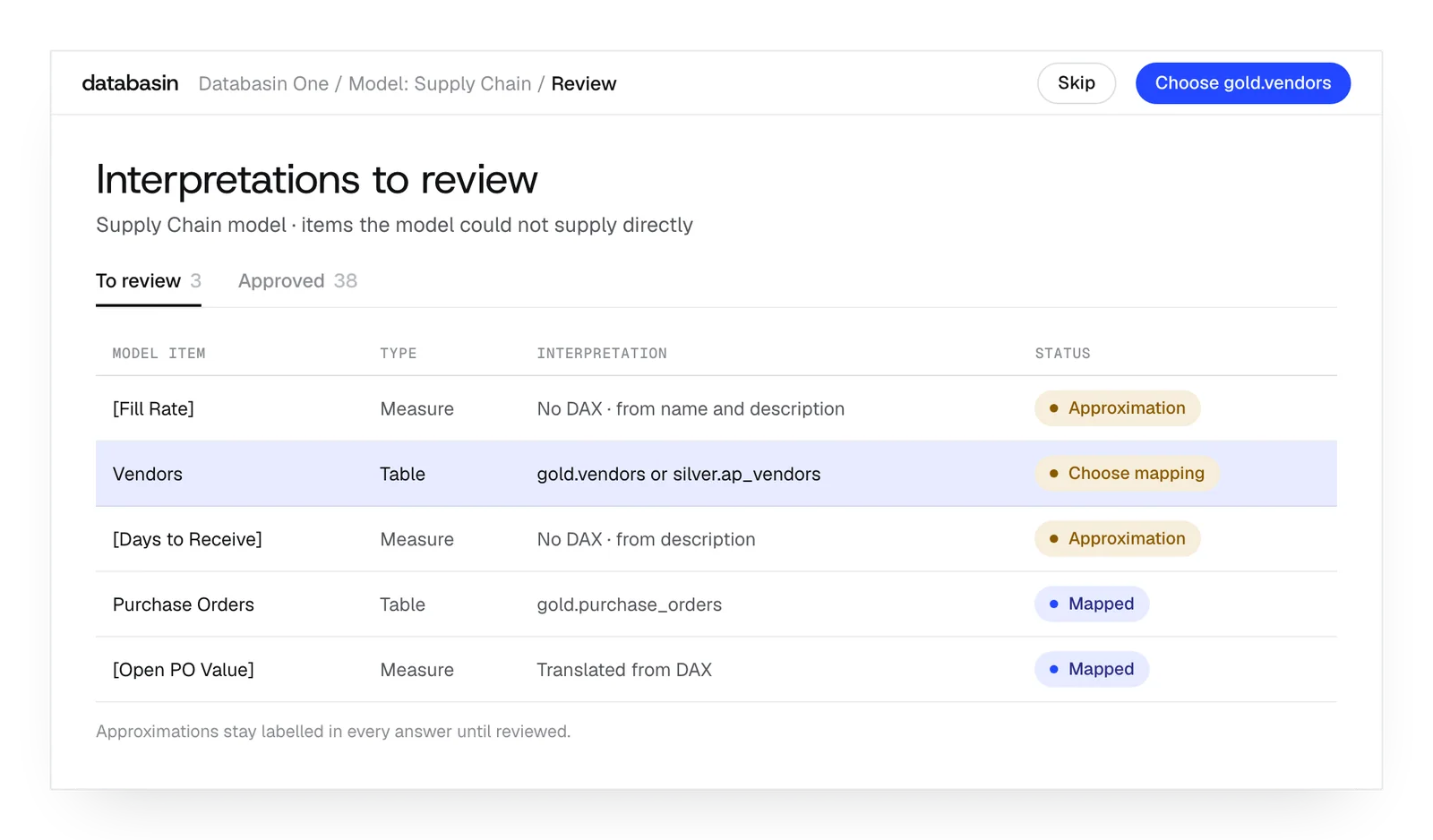
We compare it with a known report result for the same period and filters. The SQL and citations show the calculation Databasin used. We also examine the table mappings and any disclosed approximation, so the check covers the records and meaning behind the number.
Can the same importer rebuild a Reporting Services RDL file?
RDL is not a documented import format. The Data Apps importer lists .pbix, .pbit and React applications. We can still discuss the records and calculations behind a Reporting Services report as a rebuild project, then determine how to implement the required output.
Can you help us build our first semantic model?
Yes. Databasin supports building a semantic model through conversation. We define the measures and source relationships around the questions your team wants to answer, then prepare the views. Examining those definitions with the people using them is part of implementing the application.
Which engines can run the rebuilt Data App?
Data Apps runs on Trino, Databasin Sail and Databricks. We configure the supported engine and source tables for the rebuilt app. The original file provides layout and calculation information; the running application reads its records through the warehouse connection.
Can colleagues see all the data in a shared application?
Each viewer uses their own warehouse permissions. The shared link does not broaden that access. The application keeps its layout and queries, while rows remain in the warehouse. Colleagues can therefore open the same review and see the records they are authorized to read.
Talk about your Power BI reporting
We would be glad to hear what your team needs from its reporting. We can discuss the questions behind an existing report, the work that keeps it current and how Databasin could help people use the data more easily.