Turn PDF contents into usable business records
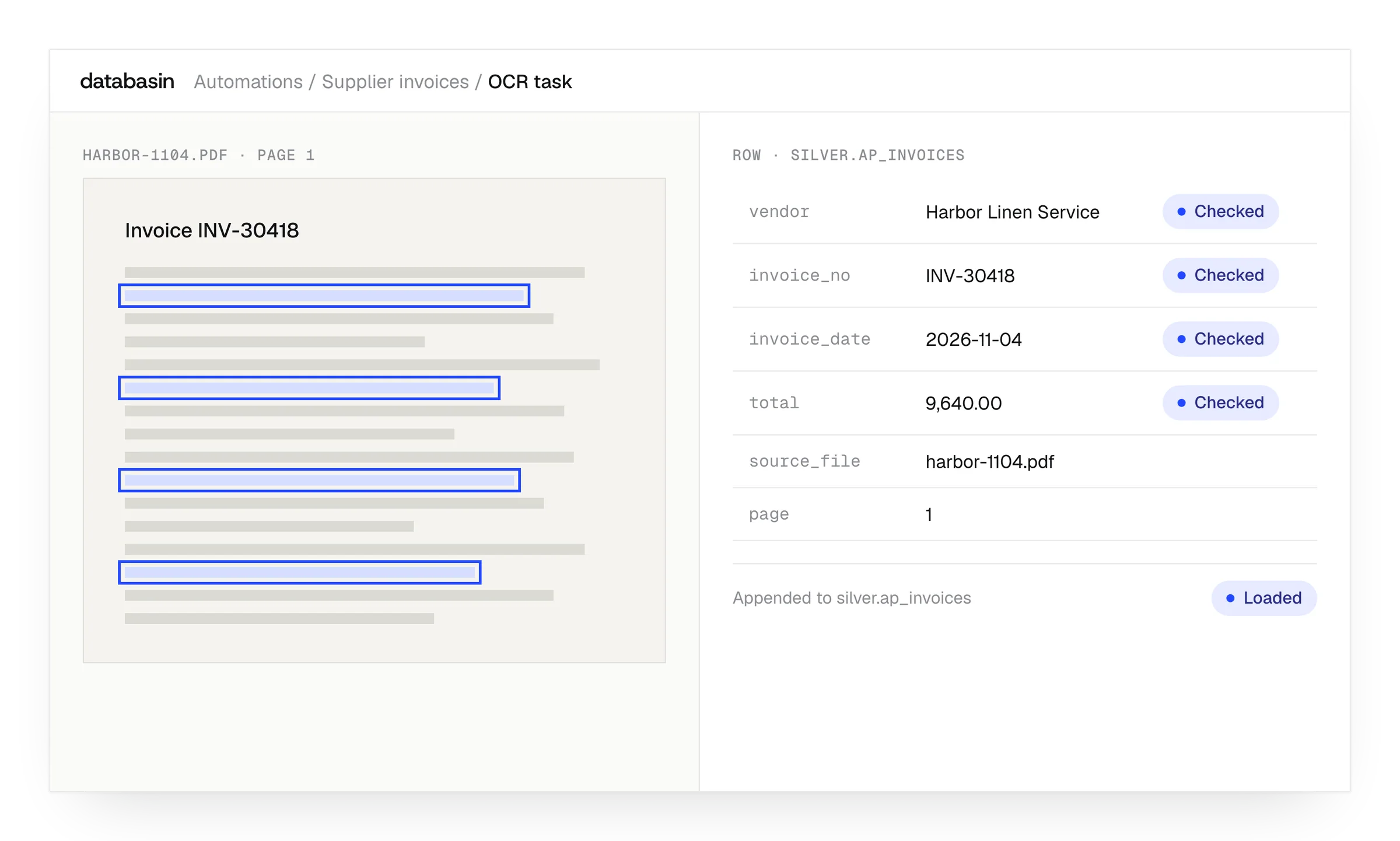
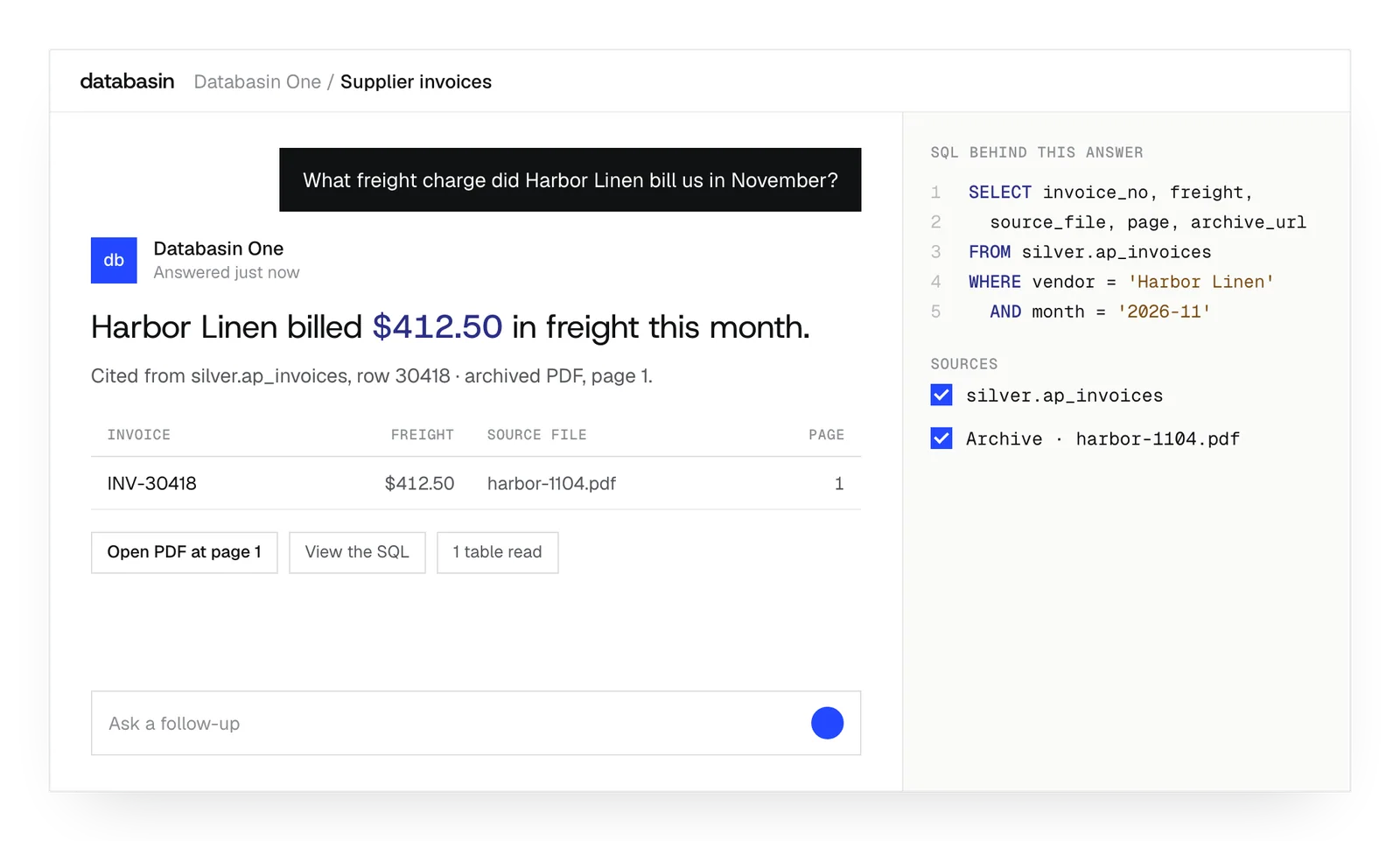
Databasin turns fields in PDFs into records your team can query and use in reports. Our team sets up the extraction, source references and transformations around the business process. Invoices, catalogs and other documents can then supply recurring analysis, with the original page available when someone needs to inspect a value.





Connect document extraction to the work
Design, Build, Run
We take responsibility for the work from defining the outcome through implementation and ongoing support.
Design
We define the outcome, current processes and expected return with your stakeholders. A working example shows how Databasin would answer your business questions.
Build
We get your first use case live in 90 days. Communication, rollout, training and success measurement are included in the work.
Run
Choose the help you need after launch. We can run the solution for you, provide monthly support hours or stay on call.
Settings for repeated document processing
File selection
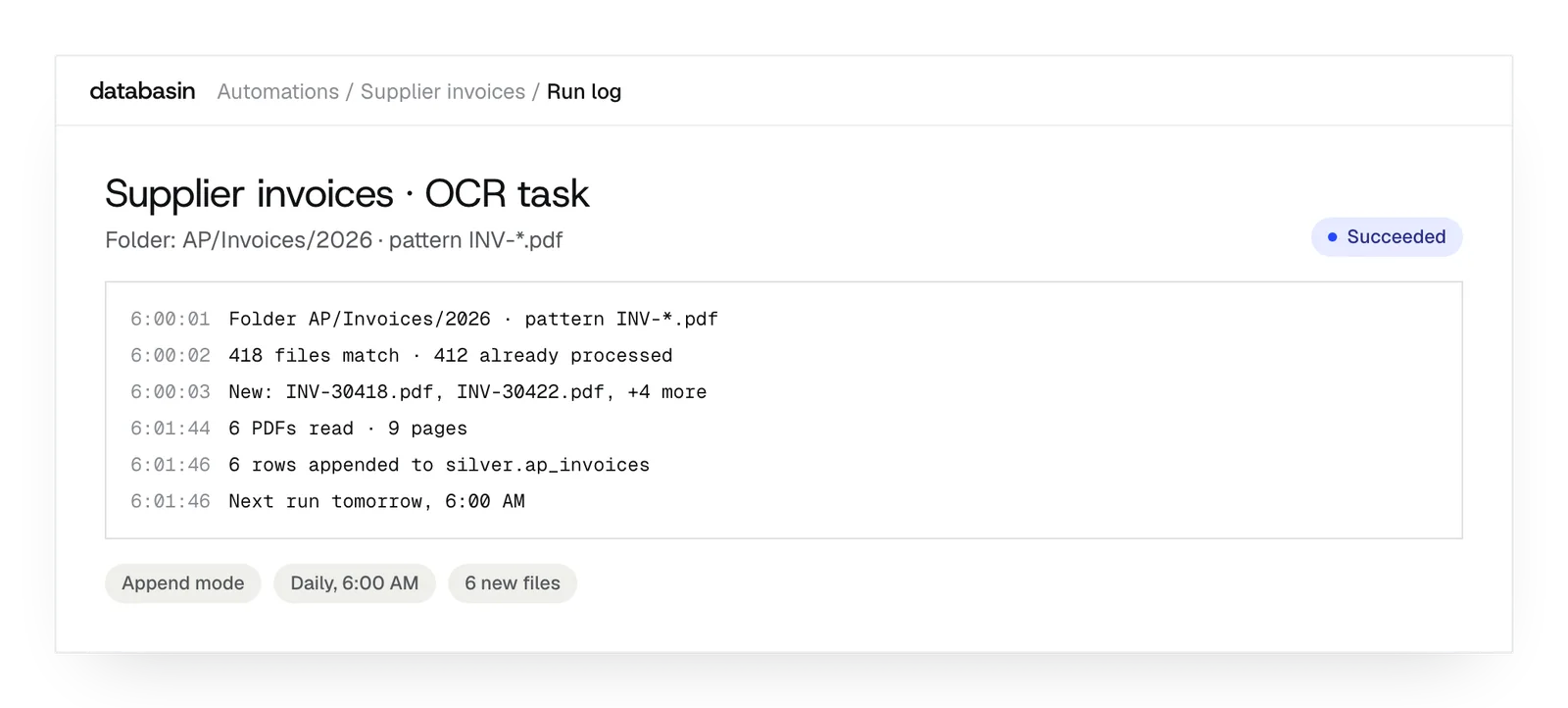
Match a filename or folder pattern to keep each extraction task in scope.
Append mode
Add records from newly processed documents while retaining the existing output table.
Overwrite mode
A rebuild clears the target and processes every document matching the task's selection.
Text output
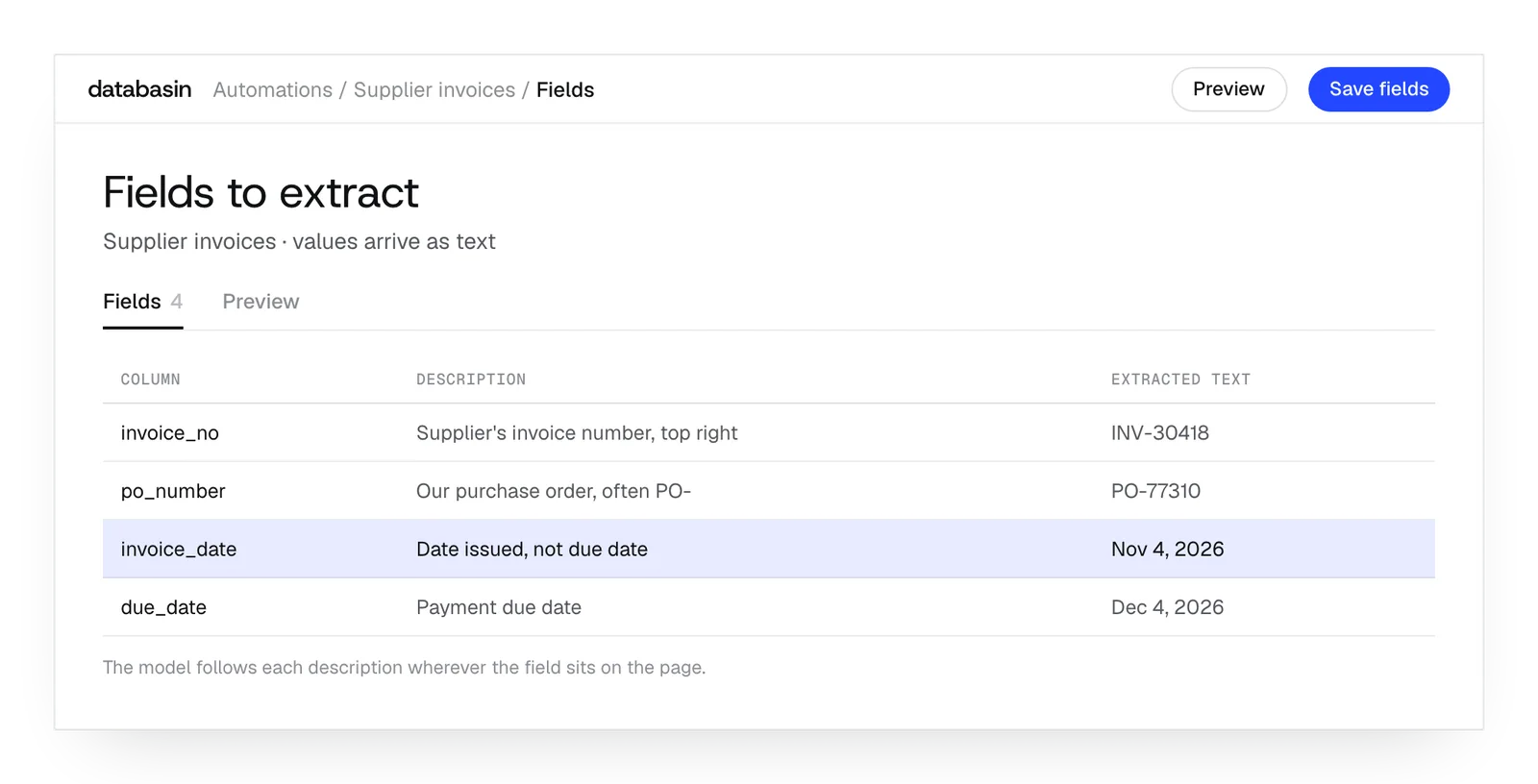
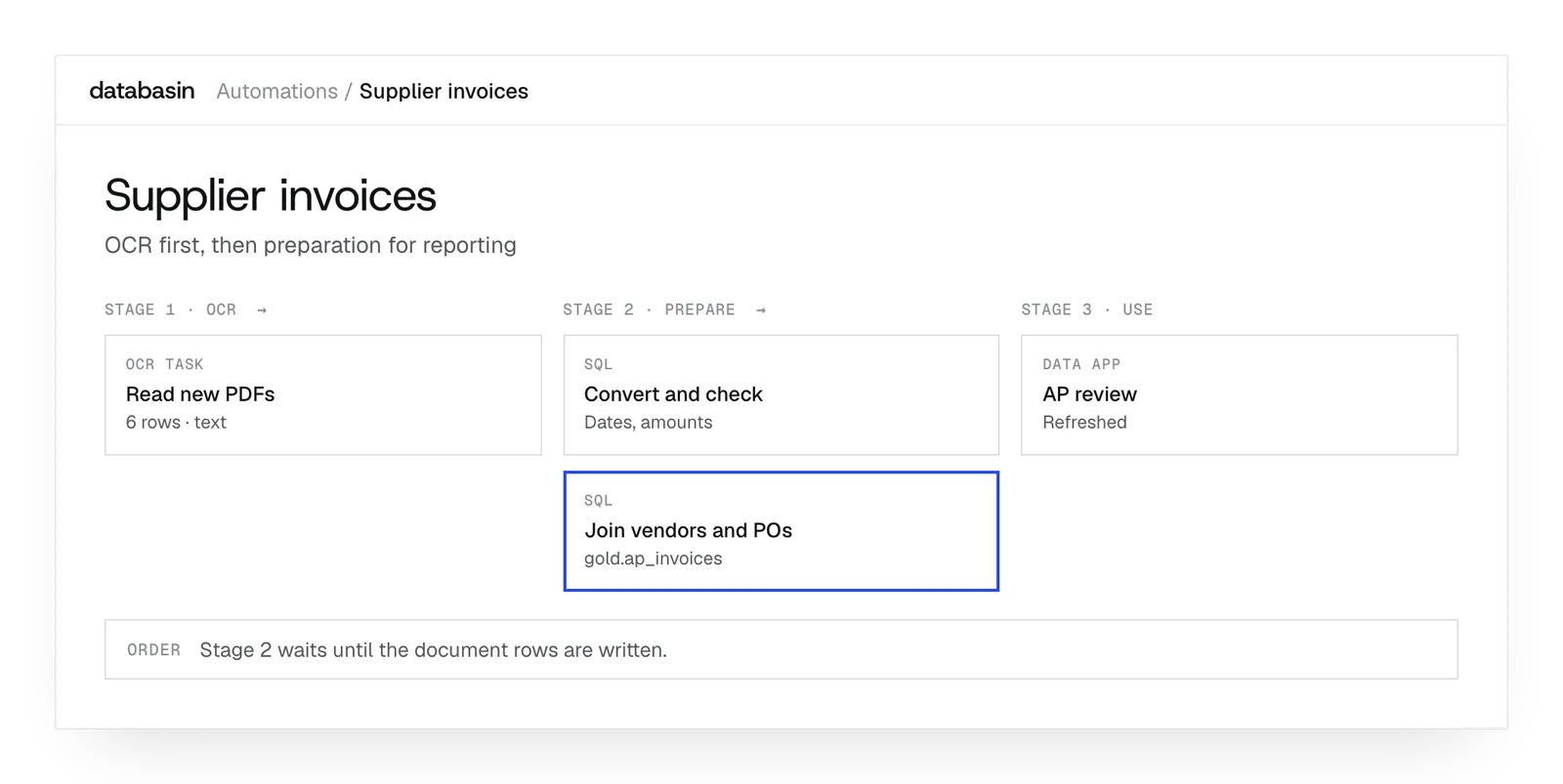
A later transformation converts the extracted text to dates and numbers for reporting.
Page windows
Long PDFs reach the model as page groups that it can process in turn.
Task logs
Task logs show what ran when an expected document or row is missing.
Examples: documents in business reporting
Invoice records
Extract invoice fields, check their expected types and join the resulting records to finance data before using them in reporting.
Course catalogs
Catalog fields can become records for queries and reporting, while reviewers retain the page containing the original course description.
Contract records
Dates and identifiers from contract PDFs can help colleagues find the records they need and return to the wording on the source page.
What happens next
We would like to hear where your team wants to make progress with data and AI. We can discuss a project you have in mind or explore where Databasin could help with the work.
What happens next
Book a demo
Book a conversation about your organization and the work you want to improve. Questions about where to start are welcome.
Explore the opportunity
We show a working example that answers your business questions, then discuss what it would take to deliver it for your team.
Get the first result
After agreeing the first use case, we implement it with your team. We train the people using it and measure how it performs.
FAQ
Can the OCR task process images or Word files directly?
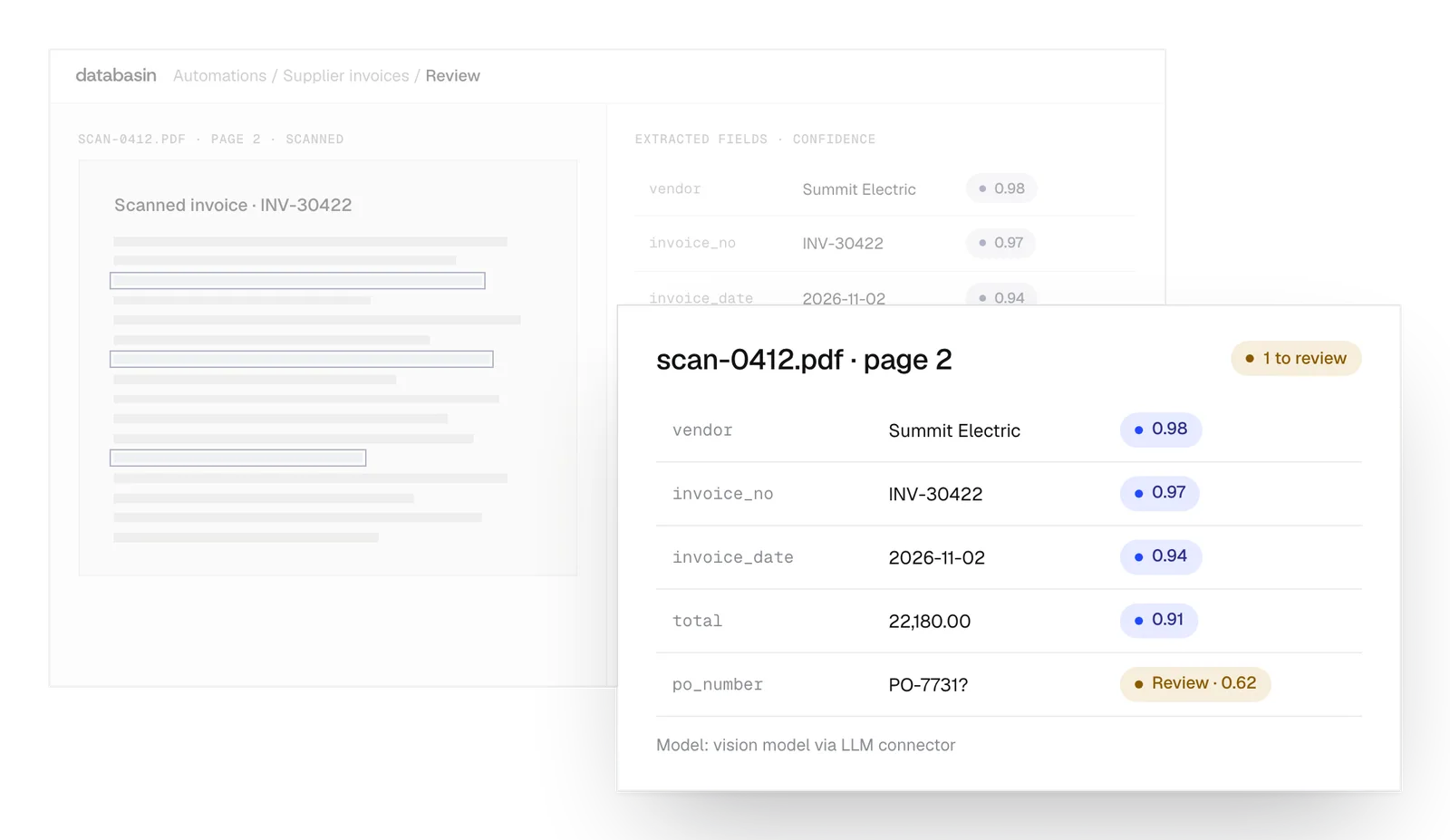
The current task accepts PDFs, including scanned PDF pages. Image files and Office documents need a PDF input before this task can read them. We establish the document route as part of implementation so the files arriving for extraction use the supported format.
Will a redesigned PDF need a new extraction template?
No. The descriptions tell the model what information to find, even when its position changes. We refine them around the meaning of each field. The resulting values still pass through the validation and review established for the process that will use them.
Can it read a long catalog or report?
Yes. The task divides a long document into page windows for the model to read. Each extracted row retains its source page. This lets later reporting use the records while a reviewer can return to the specific part of the document.
What happens when a document fails to process?
A failed document does not advance the extraction watermark, so a later run can pick it up again. Task logs provide evidence for investigating the failure. We use those records to distinguish a processing problem from a folder that has no new matching documents.
What is retained when PDF archiving is disabled?
It keeps the filename and page number. There is no archived-document link unless archiving is turned on. With that option, the processed PDF is stored in the project and the link opens its source page. We choose the setting around how people will review the records.
Why does Overwrite mode process earlier documents again?
The output table also holds the history used to identify processed documents. Overwrite clears that table, so the next extraction processes all matching documents again. Append retains the history. We select the behavior according to whether the workflow adds new records or rebuilds its output.
Where are the extracted records stored?
The target is the Databasin lakehouse in this version. We configure that target together with the document source and image-capable model connection. The first run creates the table if it is missing. Later tasks can query its rows and prepare them for the application.
Can extracted invoice fields approve a payment automatically?
No. The extracted fields are candidate values, which can feed validation and other authorized tasks. Payment approval follows the agreed business process. We keep that responsibility explicit when designing the workflow, because the extraction model's confidence cannot authorize a payment.
Discuss the documents behind your work
We can discuss where PDFs enter your processes and what people need from them. Our team can explain how extraction, source evidence and validation would fit together, and how the resulting records could support your reporting.